Mobile Apps
Courier Apps: Live Tracking, Battery Life and Proof of Delivery
A courier app is used for hours at a time, in a pocket or a bag, through tunnels and stairwells. Here is how we handle background location without draining batteries, multi-drop batching, offline status updates and proof of delivery that settles disputes.
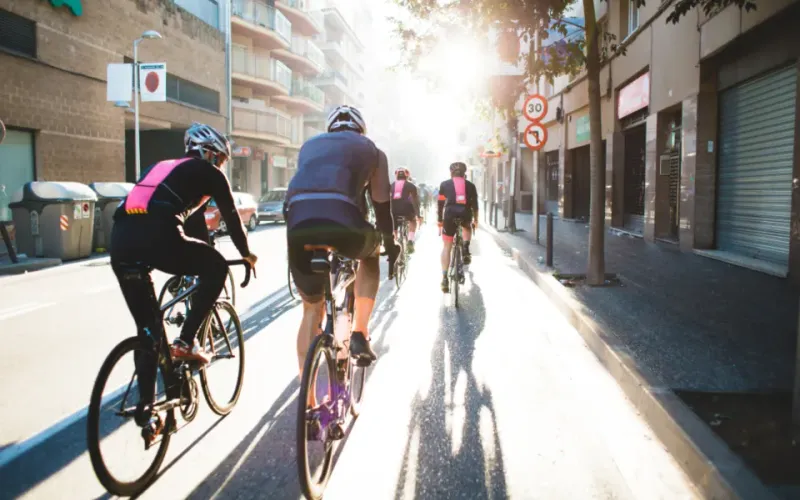
Most apps are designed for someone sitting still and looking at the screen. A courier app is the opposite. It runs for a whole shift, mostly with the screen off, in a pocket or a delivery bag, while the courier rides through tunnels, waits in kitchens and climbs stairwells with no signal. Customers watch it on a map, the operations team relies on its statuses, and couriers judge the operator by whether its numbers add up.
We build courier and driver apps through our Flutter app development service. The courier app we built for a city food delivery operator replaced a group chat and a web page that logged couriers out at every dead spot. This post covers the decisions that matter most, including some, like proof of delivery, that every operator should plan even if they launch without them.
Live Location Customers Can Trust
Live tracking only works if location updates keep flowing while the courier is not looking at the phone. The food delivery app uses background geolocation tuned for riding: it reports frequently while moving and backs off when the courier is stationary at a restaurant or a door. The customer's map stays smooth, and fewer customers contact support to ask where their order is.
A few rules make tracking trustworthy rather than unsettling:
- Share location only for the active delivery. In the food delivery app, customers see the courier's position for the duration of the delivery only, never before or after.
- Smooth the marker on the map so a GPS jump between tall buildings does not make the courier appear to teleport.
- Be honest with estimates. An arrival time that keeps slipping does more damage than a realistic one shown at the start.
Battery: The Constraint Couriers Feel First
A courier whose phone dies mid-shift stops earning, so battery life is not a technical detail. The biggest wins come from sampling location according to movement rather than on a fixed timer, and from testing on real devices over full shifts, not just in the office. The food delivery app's tracking settings were tuned across a range of Android phones and iPhones to balance accuracy against battery.
Plan for the platforms as well:
- Android needs a foreground service with a visible notification for continuous location, and some manufacturers add aggressive battery savers that kill background apps. Onboarding should walk couriers through the settings their phone needs.
- iPhone requires "Always" location permission for tracking with the screen off. Explain why before the system prompt appears, or many couriers will choose the wrong option.
- Stop tracking at the end of a shift, automatically. Couriers notice, and trust the app more for it.
The Server Side of Real-Time
The phone is half of live tracking. The other half receives a constant stream of positions from every courier on shift and pushes each one to the right customer's screen within a second or two. That layer has different needs from a normal API: many open connections, small messages and very little work per message.
The food delivery app talks to the operator's back end through REST APIs. Where we build the real-time layer ourselves, it is often in Node.js, which handles large numbers of open connections cheaply. Our Node.js development page covers that work, and our post on Node.js for real-time features goes into tracking, chat and live updates in more depth.
Batching Without the Phone Calls
Batched deliveries used to be assigned by voice at the operator. In the new app they are assigned in the app, with a clear pick-up order and drop sequence, and each stop opens navigation through the Google Maps SDK. The sequence is consistent for every courier and visible to dispatch, which turns batching into something the operator plans rather than improvises.
When designing batched routes, decide:
- How many orders a courier may carry, and from how many restaurants.
- What happens when one kitchen is late: wait, reorder the route or split the batch.
- How the customer at the second drop is told why their courier went elsewhere first.
Offline Status Updates That Never Vanish
Cities are full of signal shadows. In the food delivery app, every pick-up and drop-off event is written to a local SQLite queue first and uploaded as soon as the connection returns, in the order it happened. Couriers no longer tap a button repeatedly hoping it registers, and orders no longer get stuck in the wrong state because an update vanished between floors. Each event carries the time it actually happened, not the time it reached the server, so the record stays accurate.
Proof of Delivery: Photos, Signatures and Codes
Proof of delivery settles the question every operator eventually faces: "my order never arrived". The right method depends on what is being delivered:
- Photo at the door for contactless drops. Capture the doorway and the parcel, not people, and stamp it with time and location.
- Signature for higher-value goods or business deliveries, with the recipient's printed name.
- A one-time code read out by the customer, for high-value or age-restricted items where the right person must receive it.
- A reason code when delivery fails: nobody home, wrong address, refused. These matter as much as successes.
Proof should go through the same offline queue as status updates, so a photo taken in a basement is never lost. Compress photos on the phone to keep uploads small, store them against the order, and set a retention period. Customers should be able to see their own proof in the order history, which resolves many complaints before they reach support.
Earnings Couriers Can Check
In the food delivery app, every completed delivery shows a breakdown of base pay, distance and tips while the shift is still running. Couriers cited that transparency as a reason for staying on the platform, which matters for an operator competing with others for the same riders. The numbers come from the same source the operator uses to pay couriers, so they always agree.
That kind of consistency depends on a clean connection between the app, dispatch and payouts, which is where our API and integration team spends much of its time on projects like this. The wider process is on our mobile app development page.
Questions to Ask a Developer
- How is location sampled, and what battery drain should we expect over a full shift?
- What happens to a status update or photo taken with no signal?
- How are batched routes sequenced, and who can change them?
- Which proof of delivery methods are supported, and how long is proof kept?
- How will you test on the phones our couriers actually use?
If you run a delivery fleet and your couriers still rely on a group chat, tell us how many couriers you have on a busy evening and how orders reach them today. We will sketch the app, the tracking layer and a first release you can trial with a small group of couriers.
Frequently Asked Questions
Should a courier app be native or cross-platform?
Couriers usually bring their own phones, so you need both Android and iPhone. Cross-platform frameworks such as Flutter deliver both from one codebase, with native plugins for background location, maps and push notifications. Fully native apps make sense when you rely on platform features that the plugins do not cover well, which is uncommon for courier work.
How accurate is live courier tracking?
Outdoors, phone GPS is usually accurate to within a few metres. Between tall buildings, indoors and underground it drifts or drops out. Good apps smooth the position on the customer's map, fill gaps sensibly and avoid showing a courier jumping across the street. Arrival estimates should come from route and traffic data rather than straight-line distance.
Is a delivery photo enough proof of delivery?
For low-value contactless deliveries it usually is, especially with a timestamp and location attached. For high-value or age-restricted goods, a signature or a one-time code from the customer is stronger because it shows the right person received the item. Many operators use photos by default and require a code for specific products or customers.
What happens to tracking when the courier loses signal?
The phone keeps recording positions and events locally, then uploads them when the connection returns. The customer's map may pause briefly, so it helps to show the last update time rather than a frozen marker with no explanation. Status changes such as picked up and delivered are queued in order, so nothing is lost.
Can couriers use the same app for several delivery platforms?
Usually not, because each operator controls its own app, dispatch and payments. What you can do is make your app the one couriers prefer: reliable on poor signal, easy on battery and clear about earnings. Those are the reasons couriers stay on one platform rather than switching to another.