
OCR & Document Processing
OCR & AI Document Processing: Invoices, Forms & Contracts Read Automatically
Invoices, receipts, IDs, forms and scanned contracts turned into structured data — with human review where accuracy matters and straight into your systems where it does not.
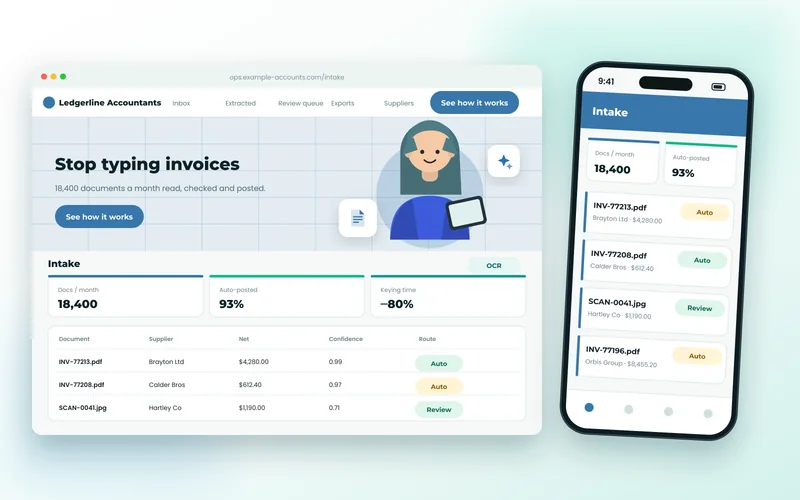
From Paper and PDFs to Clean, Checked Data
Every business has documents that someone types into a system by hand: supplier invoices, delivery notes, application forms, ID documents, expense receipts, signed contracts. It is slow, it is error-prone, and it is exactly the work modern OCR and language models are good at.
We build document pipelines that read PDFs, scans and phone photos, pull out the fields you care about, check them against your rules — does the total match the lines, is this supplier known, is the date plausible — and deliver clean data to your accounting, CRM, ERP or database. Anything uncertain is routed to a person with the document and the extracted values side by side.
What’s Included
What a Document Pipeline Includes
Invoice & Receipt Extraction
Supplier, dates, line items, taxes and totals read from any layout, matched to purchase orders and pushed to Xero, QuickBooks, Sage or your ERP.
Forms & Applications
Handwritten and typed forms digitised, with checkbox and signature detection and field-level confidence scores.
ID & KYC Documents
Passports, driving licences and utility bills read and validated for onboarding, with data kept in your jurisdiction.
Contracts & Long Documents
Key terms, dates, parties and clauses extracted and summarised from contracts, leases and reports, searchable afterwards.
Validation & Human Review
Business rules applied to every document; anything below your confidence threshold lands in a review queue instead of your ledger.
Delivery & Integration
Email inboxes, upload portals, scanners and folders as inputs; APIs, spreadsheets and your existing systems as outputs.
Benefits
What Automated Document Processing Gives You
- Hours of typing removed every week, with entry errors caught by rules rather than by an auditor months later.
- Accuracy you can measure — we report extraction accuracy per field on your own documents before go-live.
- Works with the messy reality: skewed scans, phone photos, multi-page PDFs, mixed languages.
- Sensitive documents processed in the region you choose, with retention rules you set.
- Starts with one document type and one integration; grows from there.
Technologies Used for OCR & Document Processing
We recommend the right tools for your goals, budget and team — never a one-size-fits-all stack.
Discuss Your ProjectHow We Work
Our OCR & Document Processing Process
Discovery & Consultation
We learn about your business, audience and goals, review any existing website and agree on clear success criteria.
Strategy & Planning
We define the sitemap, features, technology stack and timeline, so scope and budget are clear before work begins.
UI/UX Design
We design wireframes and polished, responsive layouts for your approval, focused on usability and conversions.
Development
We build with clean, standards-based code, integrate your tools and set up an easy-to-use content editor.
Testing & QA
We test functionality, speed, security, accessibility and SEO across browsers and devices before launch.
Launch & Support
We deploy, monitor and fine-tune your site, then provide ongoing maintenance and support as you grow.
FAQ
OCR & Document Processing FAQs
How accurate is OCR on invoices?
On typed invoices, key fields such as supplier, date, invoice number and total are typically read correctly well over 95% of the time, and validation rules catch most of the remainder. Line items on unusual layouts are harder, which is why uncertain documents go to a review queue rather than straight into your accounts.
Can it read handwriting?
Modern models read neat block handwriting well and cursive with lower confidence. We test on samples of your real forms first and tell you what accuracy to expect before you commit.
Where is our data processed?
Your choice. We can use cloud document services in a specific region, or run open-source OCR on your own server for documents that must never leave your infrastructure.
How long does a first pipeline take?
A single document type feeding one system — supplier invoices into Xero, say — usually takes two to four weeks including testing on your documents. Additional document types are quicker once the framework is in place.
Explore More
More Cloud, Data & AI Services
Technologies and services that work well alongside ocr & document processing.
Cloud Hosting & DevOps
AWS, Azure, Google Cloud and DigitalOcean setup, Docker and Kubernetes, CI/CD pipelines, Nginx tuning, monitoring, backups and cost optimisation.
Database Development
Schema design, query and index tuning, migrations and search infrastructure across MySQL, PostgreSQL, MongoDB, Redis and Elasticsearch.
AI Integration & LLM Development
Practical AI in your product — assistants, document understanding, search over your own content, and OCR or classification pipelines built with Python and modern LLM APIs.
Hosting, Server & DNS Management
Nginx, Apache, Docker and cloud servers configured, secured and kept running — plus DNS, SSL and Cloudflare set up correctly the first time.
OCR & Document Processing Enquiry
Tell Us About Your Documents
The type and volume of documents, and where the data needs to go, are what we need to scope this.
- Reply within 24 hoursA real person reviews every request.
- Free consultationHonest advice, no obligation.
- 100% confidentialHappy to sign an NDA.
- We review your requirements
- We reply with questions or a call slot
- You receive a clear, itemised proposal