
Android App Development
Android App Development Services in Kotlin
Native Android apps built in Kotlin with Jetpack Compose — Material 3 design, background work, offline storage and Google Play release management.
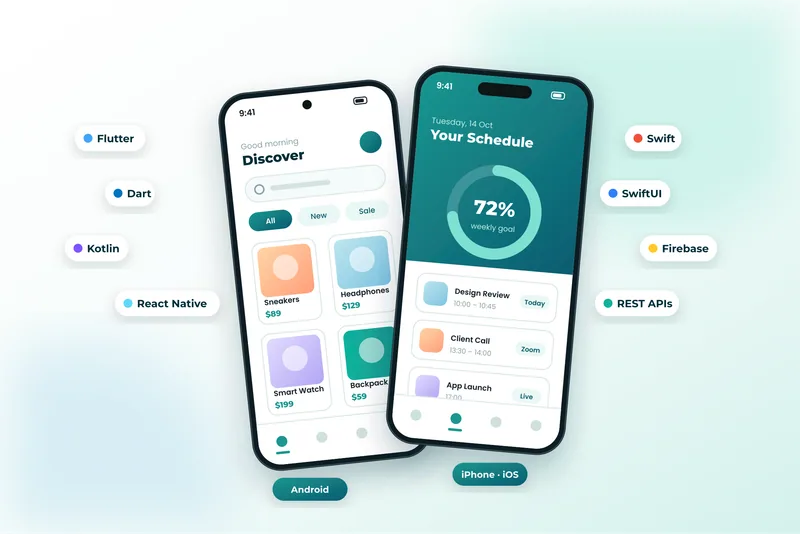
Native Android Development with Kotlin and Jetpack Compose
Native Android development is the right call when an app depends on the platform itself — background services, hardware access, precise location, large offline datasets or tight integration with Google services. Written in Kotlin with Jetpack Compose, a native app gets first access to new Android features and the best possible performance on everything from budget handsets to tablets and foldables.
We follow modern Android architecture: Compose for the interface, ViewModels and coroutines with Flow for state, Room for local data, WorkManager for background jobs and Hilt for dependency injection. Screens respect Material 3 theming, dynamic colour, dark mode and accessibility settings, and layouts adapt across phone, tablet and foldable form factors.
Release work is part of the job, not an afterthought: signing, Play Console listings, data-safety declarations, staged rollouts, crash reporting and post-launch monitoring against Android vitals.
What’s Included
What Our Android Development Covers
Jetpack Compose Interfaces
Declarative Material 3 screens with dynamic colour, dark mode and layouts that adapt to phones, tablets and foldables.
Offline Storage & Sync
Room databases with background synchronisation so field staff and travellers can keep working without signal.
Background Work & Services
WorkManager jobs, foreground services and alarms for uploads, reminders, tracking and scheduled check-ins.
Device & Hardware Features
Camera, barcode and NFC scanning, Bluetooth, biometrics, precise location and file handling with modern permission flows.
Google Services Integration
Firebase Cloud Messaging, Maps, Analytics, Crashlytics, Google Sign-In and Play Billing for in-app purchases.
Play Store Release Management
Signing, internal and closed testing tracks, store listings, data-safety forms and staged production rollouts.
Benefits
Why Build a Native Android App?
- Best possible performance and battery behaviour, including on lower-end devices.
- Immediate access to new Android APIs and platform features as they ship.
- Full support for background processing, widgets, Wear OS and Android Auto.
- Reliable behaviour under Android’s power-saving and permission restrictions.
- Kotlin code can later be shared with iOS through Kotlin Multiplatform.
Technologies Used for Android App Development
We recommend the right tools for your goals, budget and team — never a one-size-fits-all stack.
Discuss Your ProjectHow We Work
Our Android App Development Process
Discovery & Consultation
We learn about your business, audience and goals, review any existing website and agree on clear success criteria.
Strategy & Planning
We define the sitemap, features, technology stack and timeline, so scope and budget are clear before work begins.
UI/UX Design
We design wireframes and polished, responsive layouts for your approval, focused on usability and conversions.
Development
We build with clean, standards-based code, integrate your tools and set up an easy-to-use content editor.
Testing & QA
We test functionality, speed, security, accessibility and SEO across browsers and devices before launch.
Launch & Support
We deploy, monitor and fine-tune your site, then provide ongoing maintenance and support as you grow.
FAQ
Android App Development FAQs
Should I build native Android or cross-platform?
Native Android is worth it when the app leans on background services, hardware, large offline datasets or the newest platform features. If you need Android and iPhone on one budget and the feature list is mainstream, Flutter or React Native usually delivers more for the money.
Do you still use Java for Android?
We build new apps in Kotlin, which is Google’s recommended language. We are happy to maintain, extend or gradually migrate an existing Java codebase.
Which Android versions will my app support?
Typically the last four to five major releases, which covers the overwhelming majority of active devices. We confirm the exact minimum against your audience analytics before development starts.
Can you publish the app under my Google Play account?
Yes. We can work inside your Play Console or set one up for you, handle the data-safety and content declarations and manage the release tracks through to production.
Explore More
More Mobile Apps Services
Technologies and services that work well alongside android app development.
Mobile App Development
High-performance Android and iPhone apps built with Flutter, Dart, Kotlin and Swift — from idea and UI/UX design to Google Play and App Store launch.
Flutter App Development
Beautiful, fast Flutter apps written in Dart that run natively on Android and iPhone — and on the web — from a single codebase.
React Native App Development
Cross-platform React Native apps in TypeScript — one codebase for Android and iPhone, with native modules, offline support and over-the-air updates.
iPhone & iOS App Development
Native iOS apps in Swift and SwiftUI for iPhone and iPad — Human Interface Guidelines design, offline data, App Store submission and review support.
Android App Development Enquiry
Tell Us About Your Android App
Share your Android requirements — devices, offline needs and Play Store status — so we can size the work properly.
- Reply within 24 hoursA real person reviews every request.
- Free consultationHonest advice, no obligation.
- 100% confidentialHappy to sign an NDA.
- We review your requirements
- We reply with questions or a call slot
- You receive a clear, itemised proposal