
iPhone & iOS App Development
iPhone App Development Services in Swift and SwiftUI
Native iOS apps in Swift and SwiftUI for iPhone and iPad — Human Interface Guidelines design, offline data, App Store submission and review support.
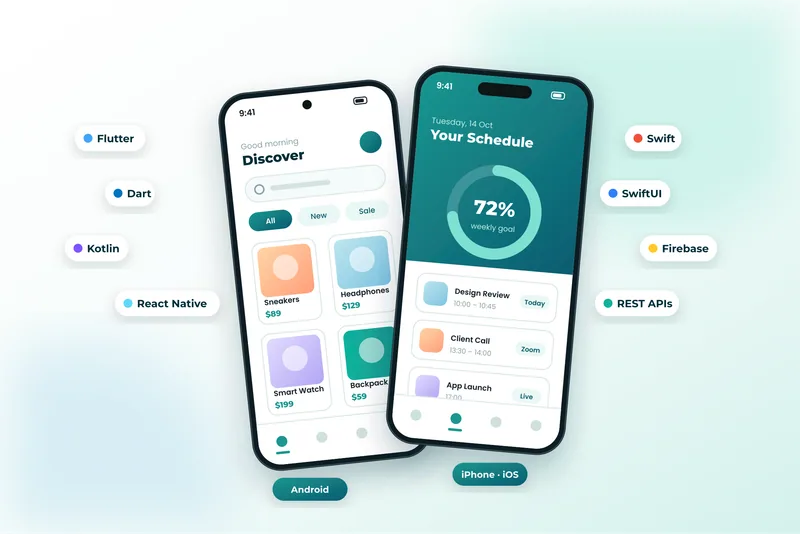
iOS Development Built Around Apple’s Design and Privacy Standards
iPhone users spend more per head than any other mobile audience, and they judge apps quickly. A native iOS app built in Swift and SwiftUI gives you the responsiveness, gestures and polish Apple users expect — plus first-day support for new iOS releases and devices.
We design to the Human Interface Guidelines: platform navigation patterns, Dynamic Type, VoiceOver support, dark mode and haptics that make the app feel like it belongs on the device. Architecture is MVVM with Swift Concurrency (async/await), Core Data or SwiftData for offline storage, and Keychain for anything sensitive.
App Review is a project stage in its own right. We prepare privacy nutrition labels, permission usage strings, account-deletion flows and subscription metadata up front, which is what prevents the rejections that delay most first submissions.
What’s Included
What Our iOS Development Covers
SwiftUI Interfaces
Modern, accessible iPhone and iPad screens with Dynamic Type, dark mode, haptics and smooth native transitions.
Offline Data & Sync
Core Data or SwiftData storage with background sync and conflict handling so the app works without a connection.
Apple Ecosystem Features
Sign in with Apple, Apple Pay, Face ID, widgets, App Clips, Live Activities, Siri Shortcuts and Apple Watch companions.
Push Notifications & Deep Links
APNs notifications, rich media alerts and universal links that open the correct screen from web or email.
Subscriptions & In-App Purchases
StoreKit 2 purchases, free trials, renewals, receipt validation and server-side entitlement checks.
App Store Submission
TestFlight betas, screenshots, privacy labels, review notes and hands-on support through the App Review process.
Benefits
Why Build a Native iPhone App?
- The smoothest possible experience on iPhone and iPad, with Apple-standard interactions.
- Same-day compatibility with new iOS versions, devices and screen sizes.
- Full access to Face ID, Apple Pay, widgets, Watch, CarPlay and Live Activities.
- Privacy features that match Apple’s expectations, which helps App Review go smoothly.
- Access to a high-value audience with strong in-app purchase and subscription behaviour.
Technologies Used for iPhone & iOS App Development
We recommend the right tools for your goals, budget and team — never a one-size-fits-all stack.
Discuss Your ProjectHow We Work
Our iPhone & iOS App Development Process
Discovery & Consultation
We learn about your business, audience and goals, review any existing website and agree on clear success criteria.
Strategy & Planning
We define the sitemap, features, technology stack and timeline, so scope and budget are clear before work begins.
UI/UX Design
We design wireframes and polished, responsive layouts for your approval, focused on usability and conversions.
Development
We build with clean, standards-based code, integrate your tools and set up an easy-to-use content editor.
Testing & QA
We test functionality, speed, security, accessibility and SEO across browsers and devices before launch.
Launch & Support
We deploy, monitor and fine-tune your site, then provide ongoing maintenance and support as you grow.
FAQ
iPhone & iOS App Development FAQs
How long does it take to build an iPhone app?
A focused first version usually takes 8–14 weeks from discovery to App Store, depending on the number of screens, integrations and whether the back end already exists. We scope this precisely after a requirements session.
Will Apple approve my app?
We build to the App Store Review Guidelines from day one — privacy labels, permission strings, account deletion, subscription disclosure and no placeholder content — and we handle any review queries. Where a concept carries known risk, we flag it before development starts.
Do I need a separate iPad version?
Not usually. We build adaptive SwiftUI layouts that make good use of the larger screen, so one universal app serves both iPhone and iPad.
Can you maintain my existing Swift or Objective-C app?
Yes. We audit the codebase, bring dependencies and the deployment target up to date, fix crashes and then continue with new features on an agreed roadmap.
Explore More
More Mobile Apps Services
Technologies and services that work well alongside iphone & ios app development.
Mobile App Development
High-performance Android and iPhone apps built with Flutter, Dart, Kotlin and Swift — from idea and UI/UX design to Google Play and App Store launch.
Flutter App Development
Beautiful, fast Flutter apps written in Dart that run natively on Android and iPhone — and on the web — from a single codebase.
React Native App Development
Cross-platform React Native apps in TypeScript — one codebase for Android and iPhone, with native modules, offline support and over-the-air updates.
Android App Development
Native Android apps built in Kotlin with Jetpack Compose — Material 3 design, background work, offline storage and Google Play release management.
iPhone & iOS App Development Enquiry
Tell Us About Your iPhone App
Tell us about your iOS requirements, Apple ecosystem features and App Store status so we can plan the build and submission.
- Reply within 24 hoursA real person reviews every request.
- Free consultationHonest advice, no obligation.
- 100% confidentialHappy to sign an NDA.
- We review your requirements
- We reply with questions or a call slot
- You receive a clear, itemised proposal