Mobile Apps
Keyless Car Rental Apps: Bluetooth Unlock, Driver ID Checks and Damage Photos
A keyless rental app replaces the desk, the paper diagram and the key handover, so each of those steps has to work without staff and often without signal. Here is how we approach Bluetooth unlock, driver verification, damage capture and the moments when something goes wrong.
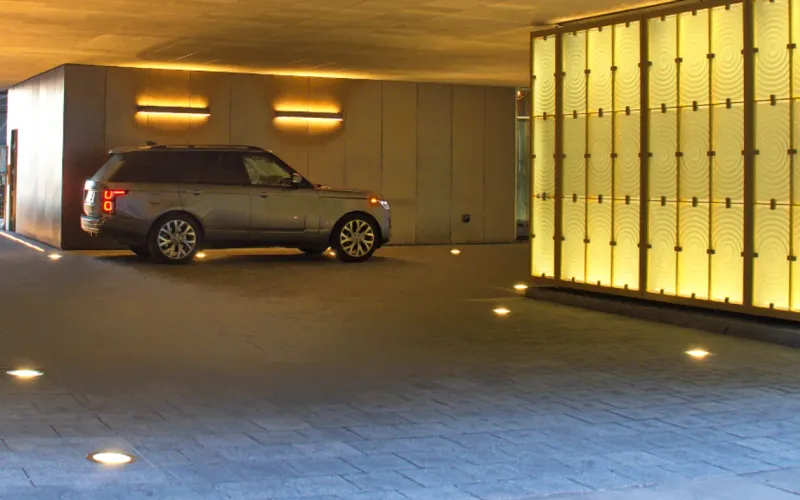
A rental desk does several jobs at once. It checks the driver's licence and identity, records the condition of the car, hands over a key and deals with whatever goes wrong. A keyless rental app has to do all of that without a member of staff, and often in an underground car park where phones have no signal.
That is why these apps are mostly about the hard cases. Unlocking a car over Bluetooth in a demo is easy. Unlocking it reliably for a tired customer at midnight, three floors down, with a phone on ten per cent battery is the product. We build these apps through our iOS app development service, and the keyless car rental app we built for an airport operator is the example we use throughout.
Design for the Car Park, Not the Office
The airport operator's customers were queueing around 40 minutes at the desk for paperwork they had already completed online, and damage disputes were common because the pre-rental check was a paper diagram. Airport car parks have no mobile signal, which ruled out any design that needed a live connection at the car.
That one constraint shapes everything. Whatever the customer needs at the vehicle has to be on the phone before they get there: the rental details, the bay number, the digital key and the damage capture flow. The SwiftUI app stores what it needs locally with Core Data, and anything captured underground, such as photos, uploads when the phone is back above ground.
Bluetooth Unlock: Keys Provisioned in Advance
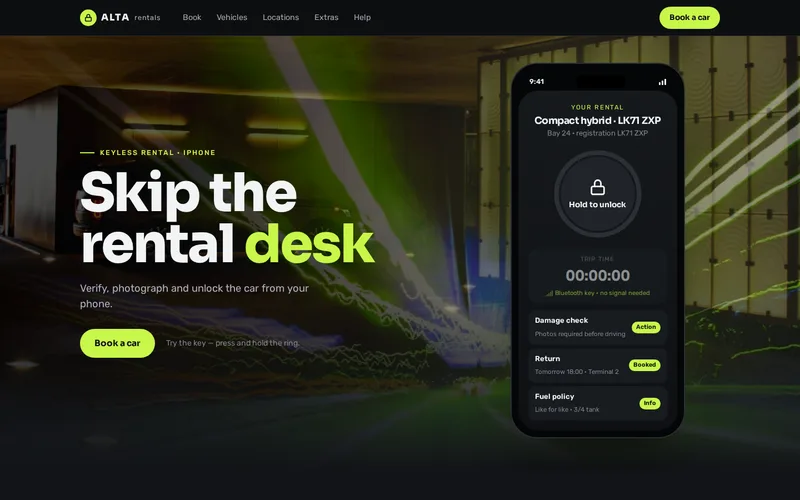
In the airport app, a digital key is sent to the phone in advance, while it still has a connection. At the car, the app talks to the vehicle directly over Core Bluetooth, so no network is needed. Keys are scoped to the specific vehicle and the rental period, expire automatically, and also work from Apple Watch.
Questions to settle before building:
- Which vehicle access hardware is fitted to the fleet, and what does its SDK support? The key design depends on it.
- When keys are issued. Too early widens the window for misuse. Too late risks the customer arriving without one.
- How a key is revoked if a booking is cancelled or a payment fails, and how long a revocation takes to reach a car that is offline.
- How unlocks are logged, so every event can be matched to a rental later.
Security deserves an independent look before launch, particularly the key protocol. Our security audit service reviews the app, its APIs and how keys are issued.
Driver ID Checks Before the Flight Lands
The desk queue existed because checks happened on arrival. In the airport app, customers scan their driving licence and identity document before they travel, using on-device document scanning with Apple's Vision framework. By the time they land, the rental is ready and the app shows a bay number instead of a desk. Rental details are also available as an Apple Wallet pass.
When planning verification for your own app:
- Decide which checks happen in the app and which go to a specialist verification provider, such as face matching against the document.
- Check licence validity with the issuing authority where an API exists, and record the result against the rental.
- Give customers a clear route when verification fails, so a rejected scan becomes a desk visit rather than a stranded traveller.
- Keep identity data only as long as you need it, and say so in the app.
Damage Photos Both Sides Trust
A guided photo sequence replaced the paper diagram in the airport app. It walks the customer around the car angle by angle, timestamps each photo and stores the set against the rental, at collection and again at return. With clear evidence on both sides, most disputes ended on their own, and customers trusted the process because the record was theirs as much as the operator's.
Details that make a damage flow work:
- Fixed angles in a fixed order, so collection and return photos can be compared side by side.
- Quality checks before accepting a photo, catching images that are too dark or blurred, which is common in car parks.
- Capture offline, upload later, with the original timestamp preserved.
- A way to add close-ups of existing damage the customer wants on record.
When Something Fails
Plan every failure before launch, with a message the customer can understand and a next step that does not depend on signal:
- Bluetooth is off on the phone: detect it and explain how to switch it on.
- The car does not respond: guide the customer closer, retry, then offer a fallback such as a key safe or a phone number that works from the car park entrance.
- The key has not arrived: tell the customer before they leave the terminal, where there is still signal, not at the car.
- The phone dies: a desk fallback with identity check, clearly signposted.
- The car is not in its bay: a way to report it and be reassigned.
Track unlock success and failure reasons from launch. The airport operator monitored unlock success and dispute rates after rollout, which is how small problems get fixed before they become reviews.
Return Without a Handover
Return in the airport app is a photo set and a tap, with fuel and mileage captured, closing the rental without staff involvement. Staff stay available for customers who need help or prefer a desk, but app users go from car to terminal without queueing.
Return depends on the booking and fleet systems receiving that data reliably, which is where our API and integration work comes in.
Native or Cross-Platform?
The airport app is native iOS because the product depends on platform capabilities: Core Bluetooth for the key, Vision for document scanning, Core Data for offline storage and Apple Wallet for the pass. Builds went to testers through TestFlight, including real collections in underground bays. An Android version would follow the same design in Kotlin. Our mobile app development page covers both, our comparison of SwiftUI and Jetpack Compose explains the native toolkits, and what a mobile app costs sets out what drives a budget like this.
If you run a rental fleet and want customers to skip the desk, tell us which vehicle access hardware you use and where your cars are parked. We will outline how keys, verification and damage capture would work with it.
Frequently Asked Questions
Do we need special hardware in our cars for Bluetooth unlock?
Yes. Each vehicle needs an access module that can receive commands over Bluetooth and control the locks and, where allowed, the immobiliser. Several telematics providers offer these with SDKs for mobile apps. The choice of hardware decides how keys are issued and revoked, so we review it with you before designing the app.
What stops someone sharing or copying a digital car key?
A well-designed key is cryptographically bound to the device and the customer's account, scoped to one vehicle and one rental period, and expires automatically. It cannot simply be forwarded like a file. Unlock events are logged against the rental, so unusual activity can be spotted, and an independent security review should test the protocol before launch.
Can customers verify their licence in the app instead of at the desk?
Yes. Document scanning in the app reads the licence and identity document before arrival, and the operator can add specialist checks such as face matching and licence validity through verification providers. Customers who fail an automated check should be routed to the desk with a clear explanation rather than left without a car.
How do damage photos hold up if a customer disputes a charge?
They are far stronger evidence than a paper diagram, provided each photo is timestamped, stored unedited against the rental and taken from the same angles at collection and return. Being able to show both sets side by side settles most disagreements. Clear terms in the rental agreement about the photo process help too.