eCommerce
Preparing a Shopify Gift Store for Christmas, Valentine's Day and Mother's Day
Gift stores live and die by a few short peaks, and every order has someone else's deadline attached. Here is how we prepare a Shopify store for them: delivery cut-offs customers can believe, gift messages that reach the packing bench, honest stock, a lighter theme and a firm code freeze.

A gift store does not have one busy season. It has three or four short, sharp ones: the run-up to Christmas, the fortnight before Valentine's Day, Mother's Day, and for some ranges a corporate gifting rush at the end of the year. Each one compresses weeks of revenue into a handful of days, and almost every order comes with a deadline that belongs to someone else. A late birthday present is disappointing. A Valentine's gift that arrives on the 15th is a refund and a customer you will not see again.
We build and support gift stores through our Shopify development service, and the preparation that makes a peak go smoothly is remarkably consistent. It is rarely about the homepage banner. It is about dates, messages, stock and the weight of the theme, and it has to be finished before the traffic arrives.
Work Back From the Peak Date
The most useful planning tool for a seasonal store is a calendar with the peak date at the right-hand edge and every task counted back from it. For a typical gift peak we suggest something like this:
- Eight weeks out: audit installed apps, run speed tests on a mid-range phone, and list anything that broke last season.
- Six weeks out: build the seasonal collections and landing pages, unpublished, with real products and photography.
- Four weeks out: set and test delivery cut-off dates with your couriers, and place a test order for every delivery option.
- Two weeks out: code freeze. No new apps, no theme changes, no clever ideas.
- Peak week: watch orders, stock and the fulfilment queue daily, and have a named person who can change cut-off dates quickly.
The code freeze is the step people skip and regret. Every change made during a peak is a change tested under the worst possible conditions.
Delivery Cut-Offs Customers Can Believe
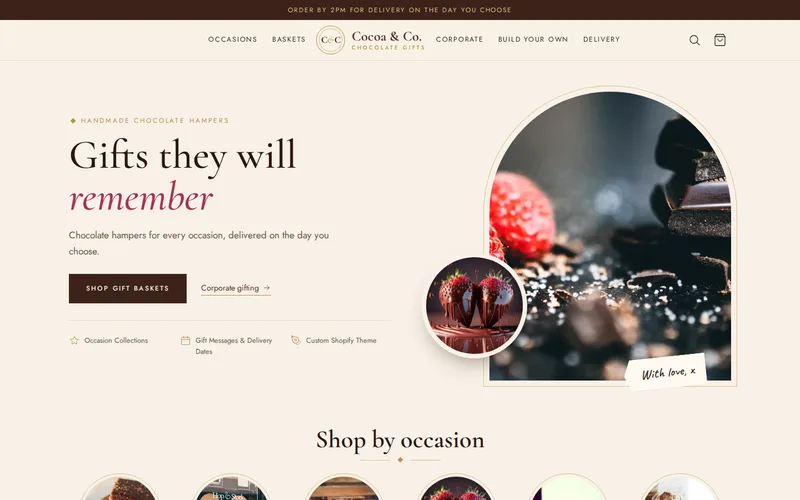
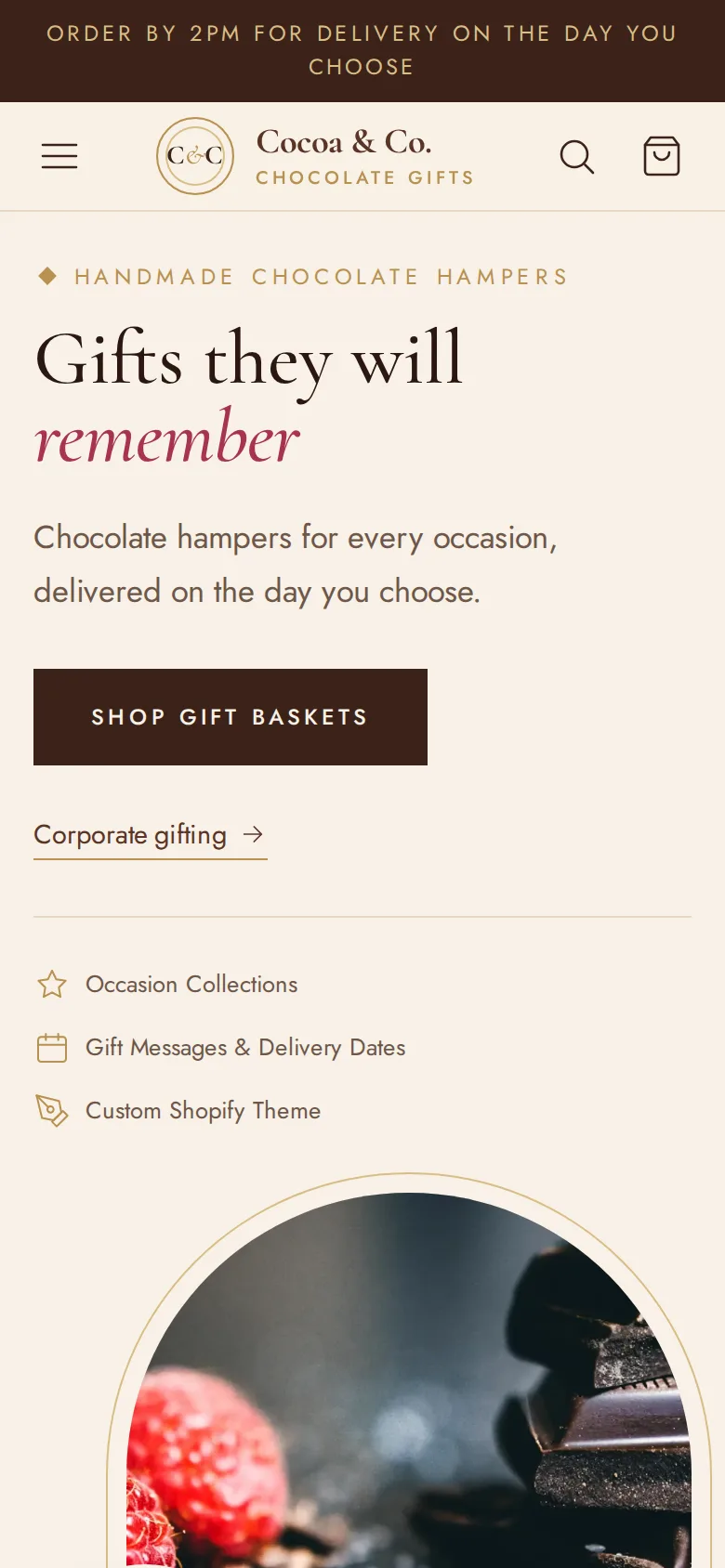
Gift buyers want one answer above all others: will it arrive in time? On the chocolate gift basket store we built on Shopify, the cart collects a requested delivery date before checkout and saves it as a cart attribute, so every order shows the fulfilment team exactly which day it is meant to land. That is the foundation. Peak season adds the rules around it.
- Block dates you cannot meet. The date picker should only offer days that are realistic for the courier service and your packing capacity. Sundays, bank holidays and the days around Christmas need to be closed in advance, not by a customer service email afterwards.
- Publish the last order date. Show it in an announcement bar, on product pages near the add-to-basket button, and in the cart. When the date passes, the message should change automatically to the next realistic option.
- Treat fixed-date occasions differently. Christmas orders spread over weeks. Valentine's Day demand lands on a few days, so it is worth limiting how many orders you accept per delivery day rather than discovering the limit at the packing bench.
- Check the date every year. Mother's Day moves, and it falls in March in the UK but May in the US and many other countries. If you sell internationally, the campaign and the cut-offs need to follow the customer's market.
Gift Messages That Reach the Packing Bench
A gift message is only useful if it is printed on the right card and put in the right box. On the chocolate basket store each message is stored as a line-item property on the basket itself, which means one order can carry different messages for different recipients. Order notifications and packing views show the message and the date clearly.
Before peak, test the whole path rather than the form. Write a message with an apostrophe, a line break, an emoji and the maximum number of characters, then follow it through to the printed card. Character limits should be shown as the customer types, not enforced with an error after they press the button. And if corporate customers send fifty gifts at once, give them a separate route, as that store does with a dedicated landing page that sends larger requests to the team as an enquiry, rather than forcing fifty addresses through a consumer checkout.
Stock: Sell Only What You Can Pack
Seasonal stock is usually a mixture of permanent lines, limited editions and hampers assembled from components. A few habits keep it honest:
- Track components, not just finished baskets, if a hamper is assembled to order. Selling 300 baskets that share one box size you only have 200 of is a common peak failure.
- Use tags to drive seasonal collections so new products appear in the right occasion pages the moment they are published. That store's tag-driven collections maintain themselves, which matters when the team is busy packing.
- Hide sold-out products from occasion collections rather than leaving them at the top of the page with a sold-out badge. A shopper with a deadline wants alternatives, not apologies.
- Schedule launches and price changes in advance so a sale starts at midnight without someone staying up to press publish.
Theme Speed When Everyone Arrives at Once
Shopify's hosting will cope with your peak; that is one of the reasons to be on the platform. What slows a store down is what runs in the visitor's browser: oversized images, scripts from apps installed for a campaign two years ago, and sections that load content nobody scrolls to. Gift shoppers are often on a phone, in a hurry, sometimes on a poor connection, so every extra second loses orders at the worst possible time.
Run your homepage, a seasonal collection and a product page through a speed test eight weeks out, fix what you find, and test again after the code freeze. If the theme has grown heavy over several seasons, a focused speed optimisation pass before the peak usually pays for itself in one weekend.
Apps to Avoid, or Switch Off, at Peak
Most peak-season breakages we are called in to fix trace back to an app installed in November. The chocolate store deliberately uses a carefully limited set of apps for exactly this reason. Before a peak, be wary of:
- Pop-ups, spin-the-wheel offers and countdown timers that inject scripts into every page and cover the add-to-basket button on mobile.
- A second app that does what an existing one already does, such as two review widgets or two upsell tools fighting over the cart.
- Apps that edit theme code directly and leave it behind after they are uninstalled.
- Anything new that touches the cart, delivery dates or gift messages. These are the fields your peak depends on.
If you do need a new feature, install it on a duplicate theme, test a full order on a phone, and decide before the freeze. Our guide to Shopify apps versus custom development covers when a small piece of custom theme code is the safer choice.
A Short Pre-Peak Checklist
- Delivery dates blocked for holidays and courier closures, with the last order date shown on site.
- A test order placed for every delivery option, with the gift message checked on the printed card.
- Order confirmation and dispatch emails arriving in the inbox, not spam. Our email deliverability service sorts this if they are not.
- Stock levels checked for components and packaging, not just finished products.
- No app or theme changes inside the code freeze.
- Someone on call who can change dates, hide products and pause a promotion quickly.
Many gift retailers put this preparation on a maintenance and support plan so it happens every season rather than when someone remembers. If your next peak is less than two months away, send us your store address and the date that matters and we will tell you what we would check first.
Frequently Asked Questions
How far ahead should a gift store start preparing for Christmas?
We suggest starting about eight weeks before your last realistic Christmas delivery date, not before Christmas Day itself. That leaves time to audit apps and speed, build seasonal collections unpublished, agree cut-offs with your couriers and still have two quiet weeks of code freeze before orders peak. Stores that start in December usually end up making risky changes while customers are trying to buy.
Can Shopify stop customers choosing a delivery date we cannot meet?
Yes, if the date picker is built with rules rather than as a plain calendar. It can exclude weekends, bank holidays and courier closure days, apply a minimum lead time, and close a day once you have taken as many orders as you can pack. The chosen date is saved on the order so fulfilment sees it. What Shopify cannot do on its own is know your courier's festive schedule, so those dates still need to be entered each season.
Should we install a countdown timer or urgency app for the holidays?
Usually not as a third-party app. A clear last-order date in the announcement bar and near the add-to-basket button does the same job honestly, without loading another script on every page. If you want a live countdown, a small custom theme section driven by your real cut-off date is lighter and cannot show a deadline that is not true, which some urgency apps will happily do.
How do we handle corporate customers sending gifts to many addresses?
Give them a separate route instead of the consumer checkout. A landing page that explains bulk and multi-recipient ordering and collects the request as an enquiry, or accepts a spreadsheet of recipients, lets your team confirm stock, dates and messages before payment. For regular corporate buyers, a draft order or invoice from the Shopify admin is often simpler than any app.
What should we check after the peak is over?
Review late deliveries by courier and by date, refunds and their reasons, products that sold out early, and which apps or campaigns actually produced orders. Remove anything installed for the season that you will not use again, including leftover theme code. Write down the cut-off dates that worked so next year's calendar starts from real data rather than memory.