eCommerce
Shopify Apps vs Custom Development: When to Build
Every Shopify problem has an app. Installing ten of them has a cost you pay every month and on every page load. Here is where the line sits.
Shopify's app store is one of its greatest strengths. It is also how stores end up paying several hundred a month for features they use lightly, while their pages get slower with each install. Knowing when to install and when to build is one of the more valuable judgements in running a Shopify store.
When an App Is Clearly Right
Install an app when the problem is genuinely standard and the app is genuinely maintained: reviews, email marketing, accounting sync, shipping rates, loyalty programmes. These are solved problems, and building your own version of a review widget is a poor use of budget.
Apps are also right when the vendor absorbs ongoing complexity on your behalf — tax calculation and fraud screening change constantly, and you do not want to own that.
When Custom Work Wins
- The app does one thing you need and twenty you do not, and charges for all of them while loading scripts for all of them.
- The requirement is specific to your business. Bespoke bundling rules, trade pricing or a configurator rarely match an app exactly, and near-misses cost more in workarounds than a build.
- You are stacking apps. Three apps that each partly solve a problem, plus glue, is worse than one piece of custom code.
- Performance is suffering. Each app typically injects JavaScript into every page, and the cumulative effect is measurable.
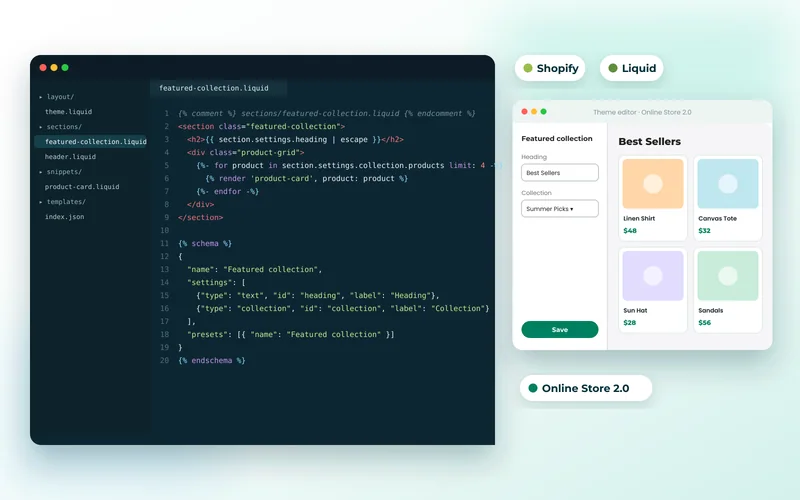
Much of this is theme-level work in Liquid — sections and blocks that merchandisers control from the editor. That is the bulk of our Shopify development, and it produces something faster and cheaper to run than an app equivalent.
The Monthly Cost Nobody Models
Ten apps at thirty a month is three thousand six hundred a year, every year, rising with your plan tier. A custom build is a one-off cost with maintenance. Over three years the comparison frequently favours building — yet the decision is usually made on the install-day price alone.
Work out the three-year cost before installing anything you expect to keep.
Performance
Apps are the leading cause of slow Shopify stores. Uninstalling one often leaves its code behind in the theme, so stores accumulate scripts for apps they no longer use. Audit your theme for orphaned app code — it is a common and easy win, closely related to what we describe in improving Core Web Vitals and deliver as speed optimisation.
What You Cannot Change
Checkout is Shopify's, and on standard plans customisation is limited to what their extension points allow. This is a genuine constraint, and it is deliberate — it is also why Shopify checkout converts well and stays PCI compliant without your involvement.
If you need deep checkout control, either Shopify Plus or a different platform such as Magento is the honest answer. We compare platforms in Shopify vs WooCommerce vs BigCommerce.
Private Apps and Integrations
When you need Shopify to talk to an ERP, a warehouse or a bespoke system, a private app using Shopify's APIs is usually cleaner than forcing a generic connector to fit. We took that route for a sports nutrition store's subscriptions and a brewery's beer club, where the billing logic was specific to the business. That is API development and integration work more than storefront work.
For larger ambitions, decoupling the storefront entirely is an option — the trade-offs are in headless commerce.
Send us your app list and monthly spend and we will tell you what is worth keeping, what to remove, and what would be cheaper built.