Web Development
Donation Pages That Convert: Monthly Giving, Gift Aid and the Thank-You Journey
A donation page has one job, and small details decide whether supporters finish it. Here is how we design the one-off versus monthly choice, capture Gift Aid properly, pick payment options, let fundraisers launch appeals themselves and turn the thank-you into the start of a relationship.

A supporter who clicks "Donate" has already decided to give. Everything after that click can only lose them: a page that looks like a different organisation, a form that asks for too much, an amount that feels arbitrary, a payment step that fails on their phone. Good donation pages are less about persuasion and more about removing reasons to stop.
We build donation sites mostly on WordPress, because fundraising teams can run them day to day, with the payment side handled by our payment and recurring billing integration work. These are the parts we spend the most time on.
Keep Giving on Your Own Site
Many charities send supporters to a third-party donation page. It is quick to set up, but the page rarely looks like the charity, and supporters notice the change of address and branding at exactly the moment they are being asked for card details.
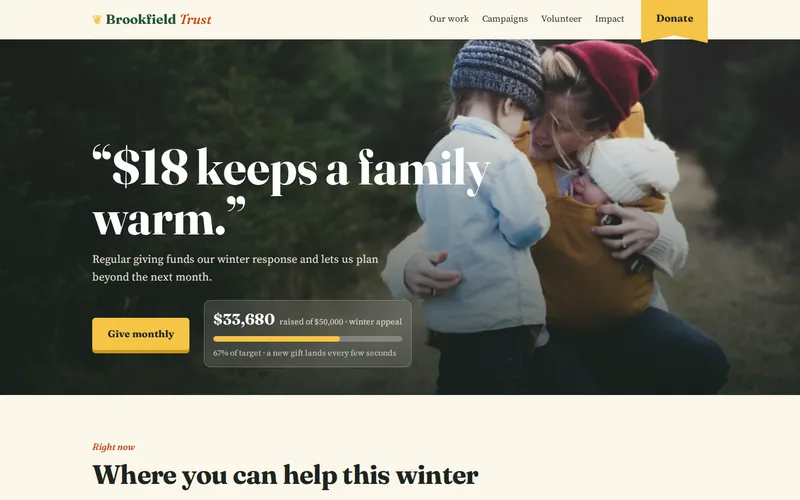
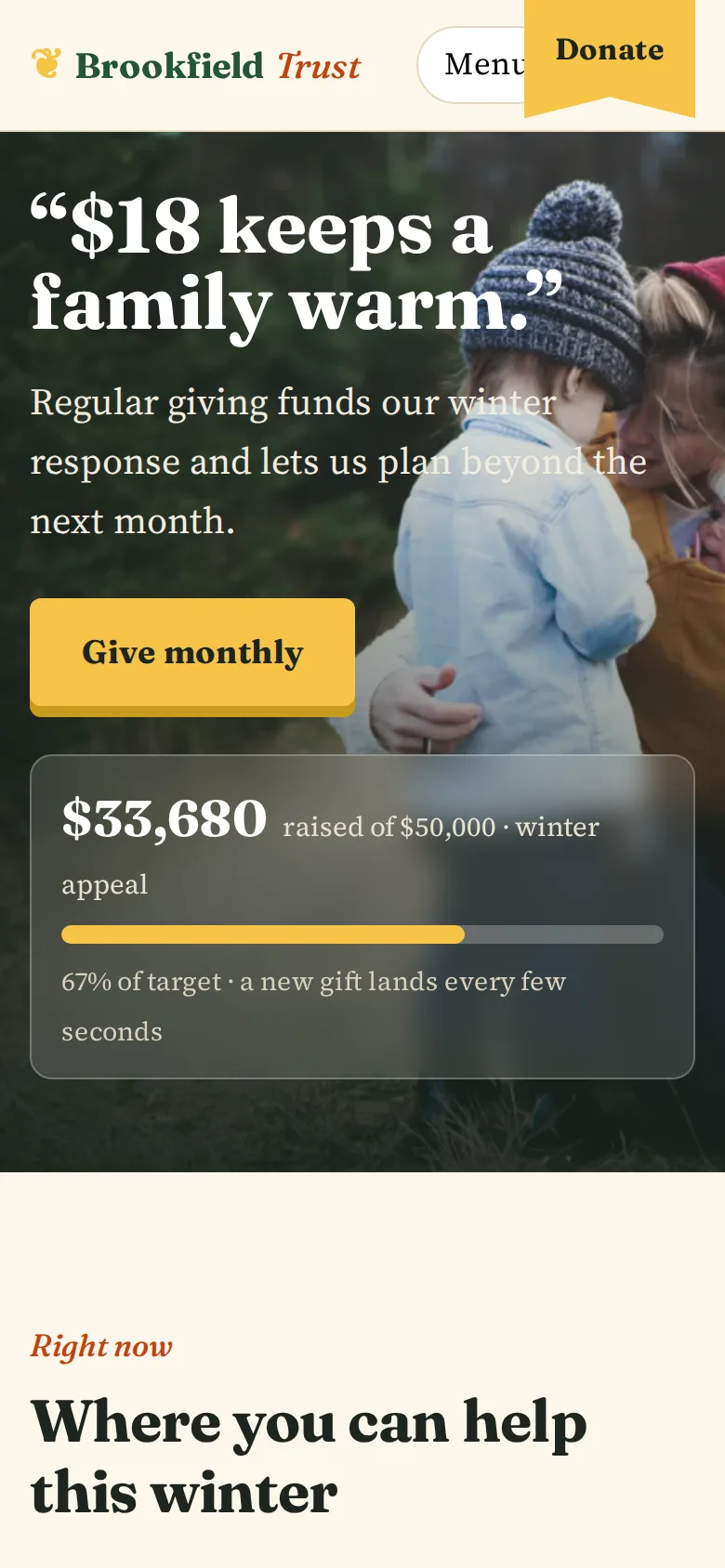
That was the situation for the regional trust behind the charity donation website we built. Its old donation page looked nothing like the charity and supporters abandoned it. We brought giving onto the trust's own site, in its own colours and tone, and donation completion improved once giving stayed on the charity's own pages. Keeping it on-site also gives you control over how monthly giving and Gift Aid are presented, and over the supporter data that results.
One-Off or Monthly: Design the Choice
Regular giving is what lets a charity plan beyond next month, so the form should make monthly giving an easy, natural choice without making one-off donors feel unwelcome. What tends to work:
- A clear toggle between single and monthly at the top of the form, not a second form somewhere else.
- Suggested amounts tied to outcomes. "£15 a month provides..." is more persuasive than three unexplained numbers. The trust's form ties each suggested amount to something concrete, such as what a sum provides during its winter appeal.
- Different suggested amounts for each mode. A sensible one-off amount is usually too high as a monthly figure, and the reverse.
- Show the year. For monthly gifts, a line showing what the gift achieves over twelve months helps supporters see the value of committing.
- Always allow a custom amount, with a sensible minimum to keep fees in proportion.
Which option should be selected by default is worth testing with your own supporters rather than copying another charity. What matters is that the choice is visible and honest.
Gift Aid Fields Done Properly
For UK charities, Gift Aid lets you claim an extra 25p from HMRC for every £1 donated by a UK taxpayer, which makes a correctly captured declaration one of the most valuable fields on the page. Collecting it on paper and keying it in later loses claims to transcription errors and forms that never come back; the trust used to work exactly that way.
On its new site the declaration is captured at the point of donation with the required wording, and recorded with the supporter's confirmation and the date. In general a declaration needs:
- The supporter's full name and home address; house number and postcode are the minimum.
- A statement that they are a UK taxpayer and understand they must pay enough tax to cover the amount claimed, in the wording HMRC expects.
- A record of which donations it covers, which can include future gifts and those from the previous four years.
- The date and the version of the wording shown, so you can prove what the supporter agreed to.
Show the address fields only when the supporter ticks Gift Aid, use a postcode lookup to reduce typing, and never pre-tick the box. If you raise money outside the UK, the equivalent tax relief schemes need different fields, so plan for them per country rather than adapting the Gift Aid form.
Payment Options and Fees
The trust's form takes card payments through Stripe and Direct Debits through GoCardless, and supporters can choose to cover the transaction fee so more of their gift reaches the cause. That combination covers most needs:
- Cards and digital wallets for one-off gifts. Apple Pay and Google Pay remove most of the typing on a phone.
- Direct Debit for monthly giving, where fees are usually lower and payments do not stop when a card expires.
- Failed payment handling. Monthly card gifts fail when cards expire or are replaced. Automatic retries and a friendly "please update your details" email recover many of them.
- Fee cover as a clearly worded, unticked option.
Campaigns and Appeals the Team Can Launch Themselves
Before the rebuild, every campaign landing page meant briefing an agency and waiting two weeks, so the trust could not respond when events made an appeal urgent. Now campaign pages are assembled by the fundraising team from blocks: an appeal header, a live progress total, a story, impact figures and a donate block already connected to the giving form. A new campaign goes live the same day.
Two details make campaigns more useful afterwards. Record the source campaign against every donation, so you can see which appeals bring long-term monthly supporters rather than one-off spikes. And keep impact figures as structured content entered once, so a total updated in one place updates everywhere it appears.
The Thank-You Journey
The thank-you is where a donation becomes a relationship, and it is often the most neglected part of the site. We plan it as a sequence:
- The confirmation page thanks the supporter in plain words, confirms the amount and Gift Aid choice, and tells them what happens next.
- The receipt email arrives within a minute. If it lands in spam, supporters assume the payment failed; our email deliverability service exists because this happens so often, and this guide explains why.
- For monthly donors, the confirmation explains how to change or cancel. It sounds counter-intuitive, but it builds the trust that keeps regular donors giving.
- An impact update some weeks later shows what the gift did, before any new ask.
Behind all of this, donations and declarations should flow into your CRM without anyone retyping them. At the trust, donations and supporter records now sync to the CRM automatically; that kind of connection is the work of our API and integration team.
A Quick Check of Your Current Donation Page
- Make a test donation on your phone. Count the taps and the fields.
- Does the page look like your charity from start to finish?
- Is monthly giving as easy to choose as a single gift?
- Is Gift Aid captured online, with the declaration recorded?
- Did the receipt arrive in your inbox, not spam, within a minute?
- Can you see which campaign each donation came from?
For the design side of the page, our checklist of what we check before designing a site applies directly. If any of the checks above fail, send us a link to your donation page and we will walk through it as a supporter would and tell you where people are likely dropping out.
Frequently Asked Questions
Should monthly giving be the default option on a donation form?
There is no universal answer. Some charities see more regular gifts with monthly preselected, while others find it puts off people who came to make a single gift for a specific appeal. Emergency appeals often suit a one-off default, while general support pages suit monthly. The important things are that both options are equally visible, the suggested amounts suit each mode and the supporter is never surprised by what they signed up for. Test it with your own supporters.
Can Gift Aid be claimed on donations made through our website?
Yes, provided the supporter makes a valid declaration. An online declaration needs their full name, home address including at least house number and postcode, and confirmation that they are a UK taxpayer who understands the tax rules, in suitable wording. Record the declaration, its date and the wording version alongside the donation so you can support your claims. Your charity remains responsible for checking eligibility, for example where a donor receives a benefit in return.
Is Direct Debit better than card payments for monthly donations?
For regular giving in the UK, Direct Debit usually has lower transaction costs and keeps working when a supporter replaces an expired or lost card, which is one of the main reasons monthly card gifts stop. Cards and digital wallets are faster for one-off gifts and for supporters who do not want to enter bank details. Offering both, with Direct Debit presented for monthly giving, covers most supporters.
Do we need a CRM integration for a donation website?
If your team currently retypes donations or Gift Aid declarations into a CRM, an integration saves time and removes errors that cost money. Donations, schedules, declarations and the source campaign can be sent automatically when a gift is made, and payment updates such as failed or cancelled Direct Debits can follow. Smaller charities without a CRM can start with clean exports and add an integration later.
How quickly can a new appeal page go live?
With a block-based campaign template, a fundraising team can usually build and publish a new appeal page the same day, choosing an appeal header, story, progress total, impact figures and a donate block already connected to the giving form. The upfront work is in designing and building those blocks well and training the team; after that, routine campaigns no longer need a developer.