Mobile Apps
Firebase for Mobile Apps: What It Costs, Where It Fits, and Where It Bites
Firebase can be the whole backend for a mobile app, and for many products it should be. The bill and the security depend entirely on how the data is modelled — here is what to get right.
Firebase promises a backend without servers: authentication, a database that syncs to every device, file storage, push notifications and hosting, all managed by Google. For a mobile app the promise is largely kept. The two places it goes wrong are cost and security, and both come down to decisions made in the first week.
What Firebase Gives You Out of the Box
- Authentication — email, phone, Google, Apple and other providers, with sessions handled for you.
- Cloud Firestore — a document database that pushes changes to connected apps and works offline.
- Cloud Functions — server-side code that runs in response to events or HTTP calls.
- Cloud Messaging — push notifications to iOS, Android and web.
- Storage and Hosting — files and static web apps on a global CDN.
Together these cover most of what a consumer or community app needs. Our Firebase development work pairs them most often with Flutter, which has first-class Firebase support, and with React Native.
How the Bill Really Works
Firestore charges per document read, write and delete. That sounds cheap until you realise a screen that lists 200 items costs 200 reads every time it opens, and a listener on a busy collection re-reads constantly. Projects that model data the way they would in SQL — normalised, lots of small documents, joins done in the app — end up with bills that grow faster than their user base.
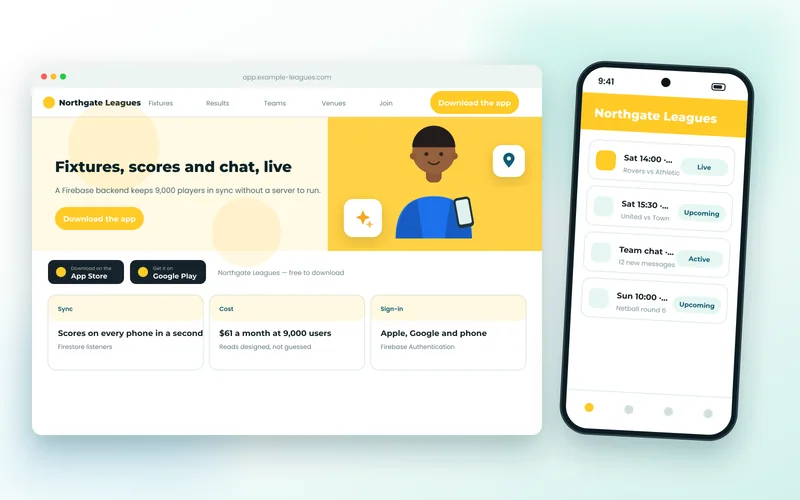
The fix is to model for reads: store what a screen needs in the documents that screen fetches, keep listeners narrow, and paginate. A sports league app we built serves 9,000 players' fixtures, live scores and team chat for about $61 a month, purely because every screen was designed around how many documents it reads.
The Security-Rules Mistake
New Firebase projects start in "test mode", which lets anyone read and write everything for 30 days. A worrying number of live apps are still in that state a year later, because the app worked and nobody went back. Firestore is reachable directly from the internet; the rules are the only thing standing between the public and your users' data.
Rules should be written per collection, expressed in terms of who the signed-in user is, and tested in the Firebase emulator with cases that are supposed to fail. If your app is live and you are not sure what its rules say, that is worth checking today.
Where Firebase Stops Fitting
Firestore is not a relational database. Reporting across many collections, complex filtering, transactions spanning many documents and very high write rates are all harder than they would be in PostgreSQL. When an app grows into these needs we add a conventional backend for that part — often Cloud Run or a Node service — and keep Firebase for auth, sync and notifications. Because business logic lives in Cloud Functions rather than the app, that move is contained.
Is It Right for Your App?
Firebase is a strong choice for consumer apps, community and club apps, MVPs and anything where real-time sync between devices is the core experience. It is a weaker choice for heavy reporting, complex back-office workflows and anywhere data must never leave a specific country. Our broader guide to mobile app development and our note on what a mobile app costs both cover how the backend choice affects budget.
If you have a Firebase project that is costing more than expected, or you are starting one and want the data model right first time, get in touch — a review of reads per screen and the security rules takes a day and usually pays for itself immediately.