Cloud, Data & AI
Do You Actually Need Kubernetes? An Honest Guide for Growing Products
Kubernetes solves real problems for products with many services and real scaling needs. For everyone else it is an expensive way to run three containers. Here is how to tell which you are.
Kubernetes has become shorthand for "serious infrastructure", which is a shame, because it leads teams with three services and modest traffic into running a cluster that costs more in engineering time than the product earns. It also leads teams who genuinely need it to put it off. The useful question is not "is Kubernetes good?" but "what problem would it solve for us?"
Start With Docker, Whatever You Decide
Containerising an application — packaging it with its runtime, libraries and configuration — is worth doing regardless. It makes development, staging and production identical, ends "works on my machine", and turns deployment into replacing an image rather than editing a server. Almost every application, including legacy PHP and .NET ones, can be containerised without code changes. This is the first step of any Docker and Kubernetes engagement, and often the last one needed.
What Docker Compose on One Server Handles
A single application with a database, a cache and a worker, running on a well-configured server with backups and monitoring, will serve a great many businesses indefinitely. Deployments can still be automated, releases can still be rolled back, and the whole thing can be understood by one person. Our hosting and server management work is mostly this, and we recommend it far more often than a cluster.
When Kubernetes Earns Its Keep
Kubernetes solves four problems well:
- Many services that need to be deployed, scaled and restarted independently.
- Real load swings — a Monday-morning peak ten times the Tuesday-afternoon trough — where paying for the peak all week is wasteful.
- High deployment frequency, where rolling releases with automatic rollback matter every day.
- Uptime requirements that need self-healing: a crashed process or a failed node replaced without anyone being paged.
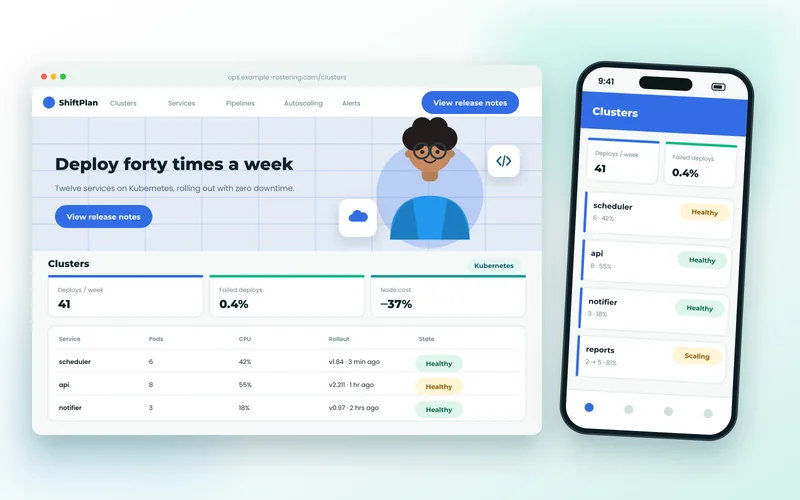
If two or more of those describe you, a managed cluster is likely right. A rostering SaaS we moved to Kubernetes had all four: twelve services, a Monday roster-publishing spike, features waiting a week for a Sunday deployment window, and customers who noticed every outage. Afterwards they deployed forty times a week, the window disappeared, and node costs fell 37% because the cluster scaled for the peak only when it happened.
What It Costs
Managed Kubernetes from AWS, Azure or Google Cloud removes the hardest part — running the control plane — but you still need someone who understands networking, storage, secrets and resource limits. The initial setup is a few weeks of specialist work; the ongoing cost is mostly attention. If nobody on the team will own it, the cluster becomes a liability, which is why we always define everything in code and hand it over properly.
The Pipeline Matters More Than the Platform
Whichever way you run containers, the thing that changes day-to-day life is the pipeline: tests run on every change, images built and scanned, deployment on merge, rollback in one command. A learning platform we migrated got four-minute deploys and 58% lower hosting costs from Docker and a pipeline alone, with no cluster at all. Our wider cloud and DevOps services cover both routes.
A Quick Self-Test
Count your services. Look at your traffic graph for the week. Count your deployments last month. If the answers are "three", "flat" and "two", use Docker on a good server and spend the savings on the product. If they are "twelve", "spiky" and "forty", it is time to talk about a cluster — and services built with something like NestJS or Go are ready for it. Either way, we will tell you which before proposing anything.