Growth & Support
What a Website Security Audit Actually Covers (and What a Scanner Misses)
An automated scan finds missing headers. An audit finds that any member can read any other member’s data. Here is what a proper security audit looks at, what it produces, and when you need one.
Most site owners first think about security after an incident: a defaced homepage, a Google warning, a host suspending the account. A security audit is the alternative — finding the weaknesses while they are still findings in a report rather than a story in the news. The trouble is that "security audit" covers everything from a free online scan to a week of expert testing, so it is worth being precise about what you are buying.
What Automated Scanners Find
Scanners are useful and we use them: they catch missing security headers, out-of-date software versions, weak TLS settings and known plugin vulnerabilities in seconds. What they cannot find is anything that requires understanding what the application is for. A scanner does not know that a member should not be able to see another member's invoice.
What a Real Audit Adds
Our security audit and penetration testing service works in layers:
- Application testing. The OWASP Top 10 — injection, broken authentication, broken access control, cross-site scripting, insecure uploads — tested by hand against the actual features, on a staging copy.
- Platform and plugin review. Every plugin, package and dependency checked, because an out-of-date payment plugin is the commonest way in. This is where our WordPress and Laravel experience matters: we know where each platform tends to be weak.
- Server and hosting. SSH configuration, firewall, file permissions, exposed services, backups and patching, in line with how we run hosting and servers ourselves.
- Access and data. Admin accounts, password policy, two-factor, logging, and how personal and payment data is stored and moved.
The Finding That Scanners Never See
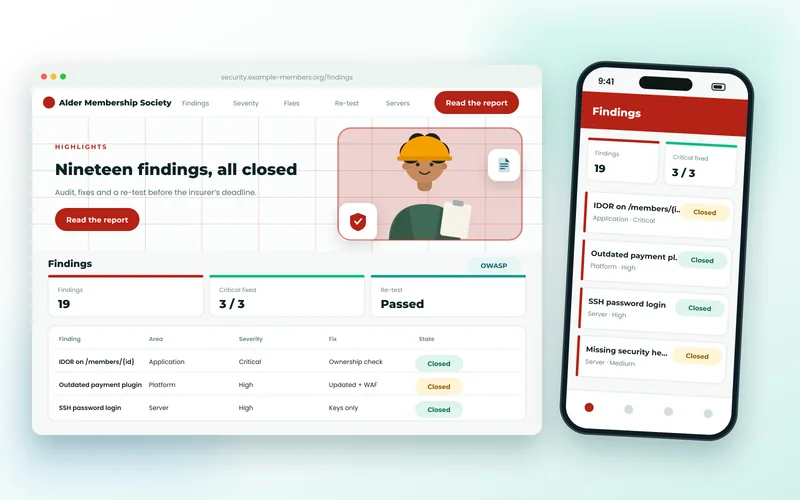
The most serious issue we find, again and again, is broken access control: change an ID in the address bar and see someone else's record. No scanner flags it, because the page returns perfectly valid HTML. In a recent audit of a membership portal holding 40,000 members' details, exactly this was the critical finding, sitting quietly beneath eighteen lesser ones. It took an hour to fix once found.
What You Receive
A report with two audiences in mind. The front is a plain-English summary ranked by real risk, suitable for a board, an insurer or an enterprise client's supplier questionnaire. The back is technical: each finding with evidence, steps to reproduce and the fix. Because we are developers, we can carry out the fixes and then re-test to confirm each finding is closed — which is the part most audit-only firms cannot offer.
When You Need One
- A client, partner or cyber-insurer has asked for evidence of security testing.
- You are about to launch, or have just taken over, an application you did not build.
- The site holds personal data, takes payments, or has had several developers over the years.
- Something feels wrong — odd admin users, unexplained traffic — but nothing has visibly broken.
If the site has already been compromised, the order changes: clean-up and recovery first, then an audit to make sure the way in is closed. After either, a maintenance plan keeps updates and monitoring from slipping again, which is how most sites end up vulnerable in the first place.
A single site on a standard platform takes about a week from access to report. If you would like to know what one would involve for yours, tell us what it runs on and we will scope it.