Web Development
Moving From Wix or Squarespace to WordPress Without Losing Rankings
Rankings rarely drop because of WordPress itself, but because of what gets lost between platforms. Here is how we inventory what ranks, get content out of Wix and Squarespace, keep or redirect every URL, and handle DNS and email at launch.
Moving a website off Wix or Squarespace is rarely difficult because of the new platform. It goes wrong in the gap between the two: URLs that change without redirects, page titles and descriptions that never make it across, images still loading from the old builder's servers, and a Search Console property that quietly stops verifying. A few weeks after launch, traffic dips and nobody can say exactly why.
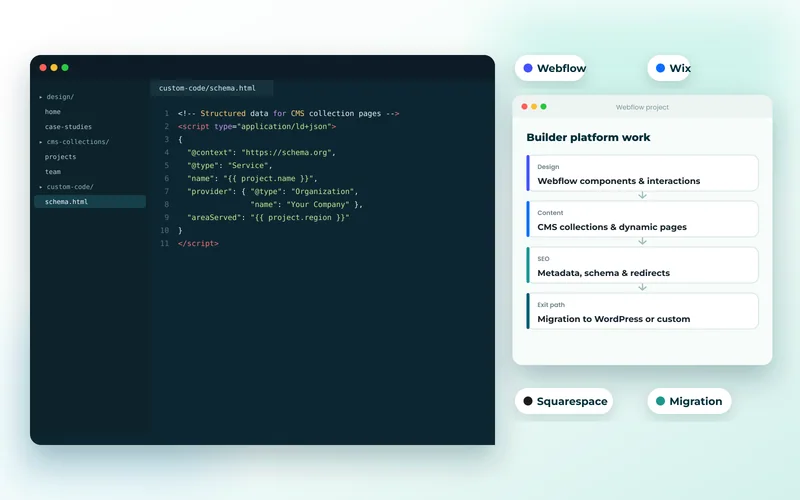
We handle both sides of this through our Webflow, Wix and Squarespace work: building on the builders where they fit, and moving sites off them cleanly when they no longer do. If you are still deciding whether to move at all, our comparison of website builders, WordPress and custom builds covers that decision. This article assumes the decision is made and focuses on keeping your search visibility through the move.
Start With an Inventory of What Ranks
Before any design or theme work, build a complete list of the URLs that exist today and which of them matter:
- Crawl the live site with a crawler such as Screaming Frog, and pull every URL from the builder's sitemap at /sitemap.xml.
- Export the Pages report from Google Search Console for the last twelve to sixteen months, so you know which URLs bring clicks and impressions.
- Check analytics for landing pages that get traffic from other sources, such as email campaigns or links on partner sites.
- Look for backlinks pointing to deep URLs, including old blog posts and product pages, using the Links report in Search Console.
Record each URL's title, meta description, main heading and canonical alongside it. This spreadsheet becomes the migration plan, the redirect map and the post-launch checklist.
Getting the Content Out
Neither builder makes a complete export easy, and the options differ:
- Squarespace can export basic pages and a single blog to a WordPress-compatible XML file, which the WordPress importer reads. Products export separately as CSV, and some page types, galleries and event pages need manual work or are not exported at all.
- Wix has no general site export. Blog posts can be gathered from the blog's RSS feed or copied by hand, Wix Stores can export products as CSV, and pages are typically rebuilt manually. For larger sites we script the extraction from the published pages.
- Images on both platforms are served from the builder's own content delivery network. If imported content keeps pointing there, the images will disappear when the subscription ends. Download originals, give them sensible file names, upload them to WordPress and keep the alt text.
- Forms, bookings and memberships do not export. Wix Bookings, member areas and builder form submissions need replacing with WordPress plugins or integrations, and historical submissions should be exported before the account closes.
Content that has sat in a builder for years is often worth a light edit on the way across, but resist rewriting your best-ranking pages at the same time as moving them. Change one thing at a time, so that if rankings move you know why.
Keep URLs Where You Can, Redirect Where You Cannot
The single most effective way to protect rankings is for important URLs not to change. WordPress gives you more control here than people expect:
- Match the old structure with permalinks. Wix blog posts live under /post/, and Squarespace posts sit under the blog page's slug, such as /blog/. A custom WordPress permalink structure like /post/%postname%/ keeps the same paths for every post.
- Keep page slugs identical when recreating pages, including any odd ones the builder generated.
- Redirect everything else one to one with 301s. Product URLs such as Wix's /product-page/ or Squarespace's /p/ pattern usually change when moving to WooCommerce, so each needs its own redirect to the matching new page, not to the homepage or a category.
- Mind trailing slashes. WordPress adds a trailing slash by default and redirects the version without it. That is one clean redirect and is fine, but avoid chains where an old URL redirects to a new one which then redirects again.
Redirects can live in the web server configuration or in a plugin such as Redirection; for large maps, server-level rules are faster. Our website migration and replatforming service treats this map as the core deliverable of any move.
Carry Over the SEO Details
- Titles and meta descriptions from your inventory, set per page in an SEO plugin such as Yoast or Rank Math.
- Heading structure and internal links. Links inside imported content still point at old URLs; update them to the new ones rather than relying on redirects.
- Structured data for your organisation, articles, products and local business details, which builders often added automatically.
- Search Console verification. Verification through an HTML tag placed by the builder stops working when the site moves. Verifying the domain property with a DNS record survives the change.
- Analytics and tracking tags, including conversion events, added before launch rather than discovered missing a week later.
The new site should also be faster than the old one, which helps rather than hinders. A lightweight theme built for the content, rather than a heavy page builder, is the usual starting point for our WordPress development team.
Domain, DNS and Email at Launch
Builders often sell the domain and sometimes the email too, so the switch-over needs care:
- Check where the domain is registered and where its DNS is managed. If the builder manages DNS, you can keep the registration there for now and change only the records, or transfer the domain separately afterwards.
- Copy every existing DNS record before changing anything, especially MX, SPF and DKIM records for email. Google Workspace bought through Squarespace keeps working only if those records are preserved.
- Lower the TTL a day ahead, switch the records at a quiet time, and keep the builder plan active for at least a few weeks as a reference and fallback.
Our guide to moving hosting and DNS without downtime covers this step in more depth.
The First Weeks After Launch
- Crawl the full list of old URLs and confirm every one returns a single 301 to a live page.
- Submit the new sitemap in Search Console and watch the Pages report for 404s and pages Google has excluded.
- Compare clicks and positions for your key pages against the inventory. Some movement in the first weeks is normal while Google recrawls; sustained drops on specific pages usually point to a missing redirect or lost content.
If the move includes an online store, plan the product and order migration with our WooCommerce development team, and if rankings need ongoing attention afterwards, technical SEO support picks up where the migration leaves off.
Planning a move off Wix or Squarespace? Send us your current site address and we will review what will move cleanly, what needs rebuilding and what the redirect map will involve.
Frequently Asked Questions
Will we lose Google rankings when moving from Wix to WordPress?
A well-planned move usually keeps rankings broadly stable, with some short-term movement while Google recrawls the site. Losses tend to come from missing redirects, dropped content or changed titles rather than the platform switch itself. Keeping important URLs the same, redirecting the rest one to one and checking Search Console closely after launch keeps the risk low.
Can we keep our domain name when leaving Squarespace or Wix?
Yes. The domain belongs to you even if it was bought through the builder. You can point its DNS records at the new hosting while leaving the registration where it is, or transfer it to another registrar. Either way, copy the existing email records first so that mail keeps flowing during and after the switch.
What happens to our blog comments, form submissions and customer accounts?
Blog content can usually be moved, but comments, form submissions and member or customer accounts often cannot be exported in a form WordPress can import directly. Export whatever the builder allows before closing the account, keep a copy for your records, and expect customers with accounts on a builder store to set a new password on the new site.
Should we redesign the site at the same time as moving to WordPress?
It is common and often sensible, since the site is being rebuilt anyway, but it adds risk if it means rewriting content and restructuring pages at the same time. Our preference is to keep the structure and best-performing copy of key pages stable through the move, refresh the design around them, and make bigger content changes once the new site has settled.
How long should we keep the old builder subscription after launch?
At least a few weeks, and ideally a month or two. The old site is useful as a reference if something turns out to be missing, and as a fallback if a problem appears at launch. Make sure the builder version is not still publicly reachable on a second address where it could compete with the new site in search results.