Growth & Support
Preparing for a Penetration Test: Scope, Access and What Happens After
Most disappointing penetration tests go wrong before the first request is sent: a vague scope, test logins that do not work, a report nobody has time to act on. Here is how we help clients prepare, what a good report contains, and how fixing and retesting should work.

Most penetration tests that disappoint do so before the first request is sent. The tester spends two days waiting for a login that does not work, the scope leaves out the API the mobile app talks to, or the report lands on the desk of someone with no time to act on it. The testing itself was fine; the preparation was not.
We run tests as part of our security audit and penetration testing service, and the projects that go well have a few things in common. This is the checklist we send clients before we start, and what to expect once the testing stops.
Decide What Is Actually in Scope
Scope is a written list of the things the tester is allowed to attack. "The website" is not a scope. A useful one names every component that touches the data you care about:
- Applications: the customer portal, the admin area, any separate booking or checkout system.
- APIs: including the ones only your mobile app or a partner uses. These are often the least tested and the most exposed.
- Platforms: the CMS, its plugins, the payment integration.
- Infrastructure: the servers, their open ports, the hosting control panel.
Write down what is out of scope too, and why. Third-party services such as your payment provider or email platform usually are, because you do not have permission to test them. When we scoped the security audit for a national membership society, the list covered the members' portal, the WordPress site in front of it, the payment integration and both servers, because all four handled member data. Leaving any one out would have left a door untested.
Staging, Production, or Both
Testing a staging copy is safer and lets the tester push harder: they can create, change and delete records without touching a real customer's account. The catch is that staging must match production closely, with the same code version, the same plugins and similar configuration, or you are testing a different system.
Our usual arrangement is the one we used for the membership society: active testing against a staging copy, plus a read-only review of the live servers' configuration. Members were never affected, and findings that would have been risky to confirm on a live site could be demonstrated safely. If something can only be tested in production, agree a time window, a contact who can be reached during it, and what the tester must stop doing if anything looks wrong.
Test Accounts and Data
Most serious flaws sit behind the login. A tester who can only see your public pages will find missing headers and an outdated library; a tester with accounts will find out whether one customer can read another customer's data. That second kind of finding is the one that ends up in the news.
- Create at least two accounts at each role level (two customers, two staff, one administrator), so the tester can check whether account A can reach account B's records.
- Fill them with realistic but fake data: orders, invoices, uploaded files, messages.
- If you use two-factor login, agree how the tester will receive codes before day one.
- If your API uses keys or tokens, issue test keys with the same permissions a real partner or app would have.
The membership society's most serious finding, a logged-in member able to view another member's profile by changing an ID in the address bar, is exactly the kind that only appears when the tester has two working accounts.
Rules of Engagement
Rules of engagement are the short document that makes the test authorised and predictable. It should cover:
- Who authorised the test, in writing, and that they have authority over every system in scope. Check your hosting provider's terms too; some ask for notice.
- The dates and hours of testing, and the IP addresses the tester will work from, so your firewall or monitoring does not block them halfway through or raise a false alarm.
- What is not allowed: typically denial-of-service, social engineering of staff, and anything that sends real emails or takes real payments, unless you specifically want those tested.
- What happens if a critical issue is found mid-test. We report those immediately rather than holding them for the report.
- How findings, and any personal data seen during testing, will be stored and deleted afterwards.
Take a fresh backup before testing starts. A well-run test should not damage anything, but forms get submitted and records get created, and a known restore point saves an argument.
What You Get Back
A good report is written for two audiences. Directors, trustees or an insurer need a short summary: what was tested, how serious the findings are, what has been fixed and what risk remains. Developers need each finding with the affected URL or component, steps to reproduce it, evidence, a severity rating based on real impact, and a recommended fix.
Be wary of a report that is mostly scanner output. Automated tools are part of every test, but their value is in the triage that follows. We wrote more about that difference in what a website security audit actually covers.
Fixing and Retesting
The report is the midpoint, not the end. Book developer time for the fixes before the test starts, or the findings will sit in a folder. Fix in order of severity, and treat anything that exposes personal data or payments as urgent.
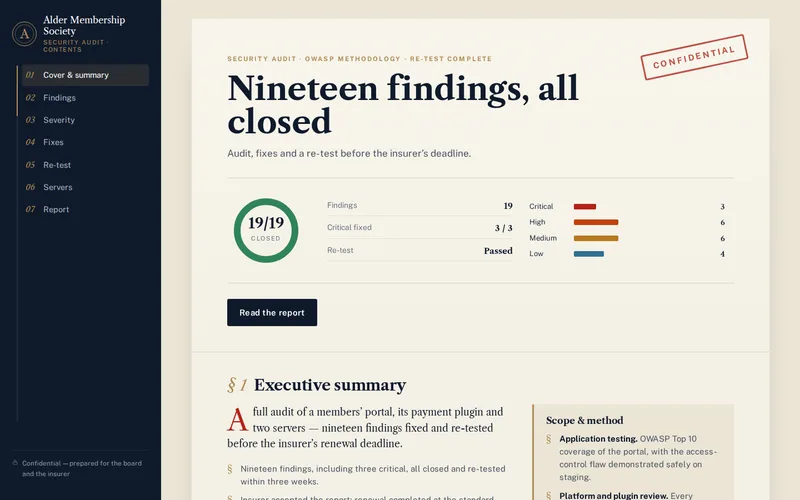
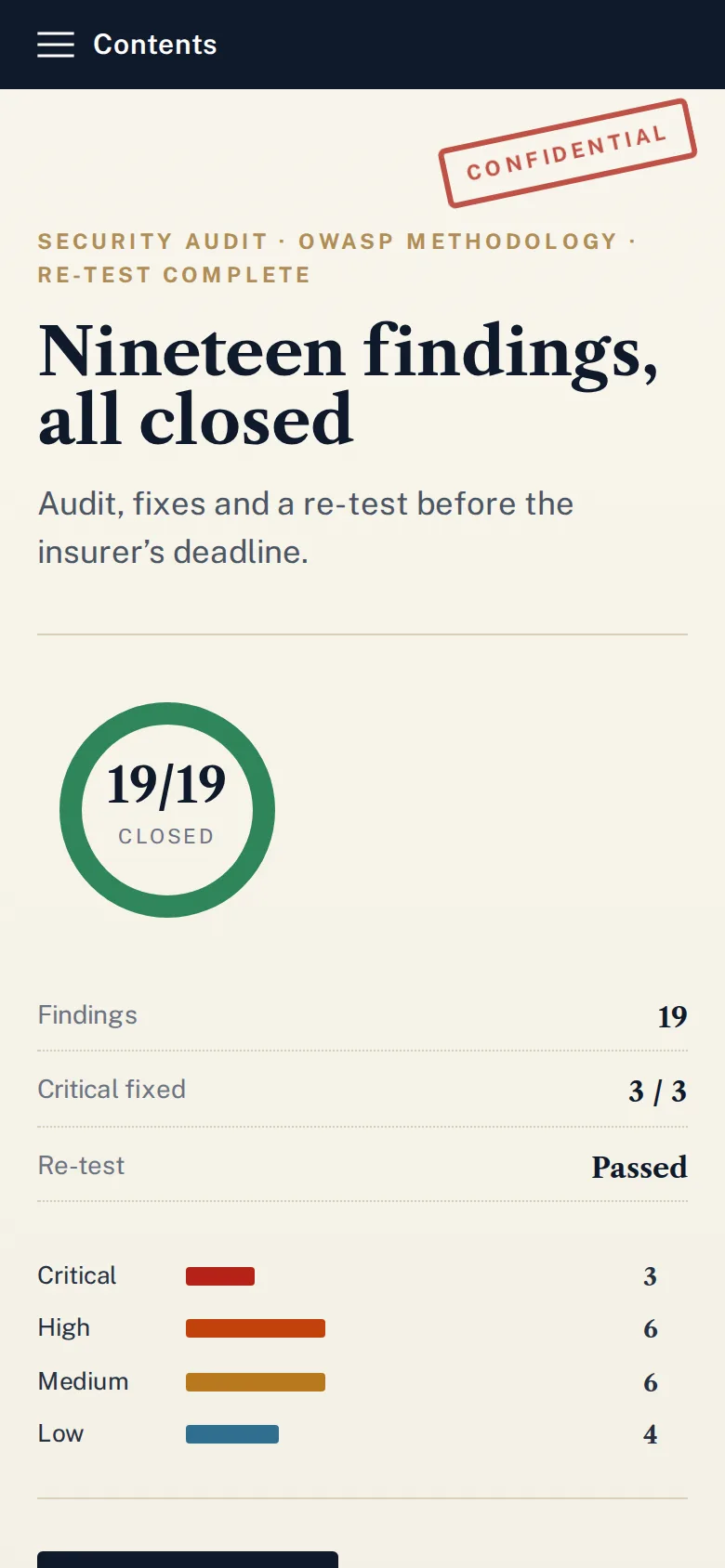
Then retest. A finding is closed when the tester has confirmed it can no longer be reproduced, not when a developer says a change went live. For the membership society, all nineteen findings, three of them critical, were fixed and retested within three weeks, and the insurer accepted the resulting report. Because we are developers we can carry out the fixes as well, and server-level findings often fold into our hosting and server management work: key-only SSH, firewall rules, TLS settings and security headers.
How Often to Test
Once a year is a common baseline, and insurers and enterprise customers often ask for evidence of a recent assessment. Treat that as a minimum. Test again after any significant change: a new payment flow, a new API for a mobile app, a platform migration or a change of development agency. Between tests, keep plugins and dependencies current under a maintenance plan so the next report is shorter. The membership society now runs a quarterly re-audit, so new plugins and code changes are checked before they become the next finding.
If a site has already been compromised, a penetration test is the wrong first step. Clean it up with our hacked website cleanup service first, then test the repaired system.
Planning a test for an insurer, a customer's security questionnaire or your own peace of mind? Send us a list of your systems and who needs to read the report, and we will come back with a written scope and test plan before any testing begins.
Frequently Asked Questions
How long does a penetration test take?
It depends on how many components are in scope and how many user roles each has. A single web application with a few roles usually needs several days of hands-on testing, followed by time to write the report. Larger estates with APIs, mobile back ends and several servers take longer. Remember to plan for the fixing and retesting stage as well, which often takes as long as the test itself.
Should we fix known problems before the test starts?
Yes. If you already know a plugin is out of date or a server still allows password logins, fix it first. Otherwise the tester spends paid time documenting issues you were aware of, and the report fills up with obvious findings. Clearing the known problems lets the test concentrate on the flaws you cannot see for yourself, such as access-control mistakes in your own code.
Will a penetration test slow down or break our live site?
Not if it is planned properly. Active testing usually happens on a staging copy, and anything done against production is limited to agreed hours, agreed techniques and a named contact who can call a halt. Denial-of-service testing is excluded unless you ask for it. A fresh backup taken before testing begins covers the rare case where test data needs to be cleaned up.
Can our own developers handle the retest after fixing the findings?
They should verify their own fixes, but the formal retest is best done by the tester who found the issue. They know exactly how it was exploited and can confirm the fix closes the hole rather than just the one example they reported. Insurers and enterprise customers also give more weight to independent confirmation than to a note saying the issue was fixed.
Do we need to tell our hosting provider before a penetration test?
Check their terms. Many cloud and hosting providers allow testing of your own servers without notice, but some require it, and almost all prohibit testing their shared infrastructure. Telling them also prevents their abuse team from blocking the tester’s IP address mid-test. If you use a web application firewall or a CDN, decide whether the tester should go through it or be allowed past it.