Frameworks & Languages
Modernising a Legacy PHP Order System Without Stopping the Orders
An order system that takes money all day cannot be switched off for a rewrite. Here is how we modernise legacy PHP while orders keep flowing: map it, put tests around every path that touches a price, change the data in small steps and move modules across one route at a time.

Some systems can be taken offline for a weekend while they are rebuilt. An order desk that raises invoices from eight in the morning until the trade counter closes is not one of them. Every hour it is down, customers are phoning a competitor, and every pricing mistake it makes during a migration ends up on someone's invoice.
That is the situation behind most of our CodeIgniter development work, and increasingly behind our PHP and Laravel development projects too. The application works, the business depends on it, and it is quietly becoming unsafe to keep. This post is about how to modernise it without asking anyone to stop taking orders.
Why the Big Rewrite Usually Loses
The instinctive answer to an old system is to replace it. The trouble is that a legacy order system is not just old code; it is years of business decisions that were never written down anywhere else. Trade discounts, customer-specific prices, rounding rules, delivery thresholds: the code is the only specification. A rewrite has to rediscover all of it, and until it does, nothing improves for the people using the system.
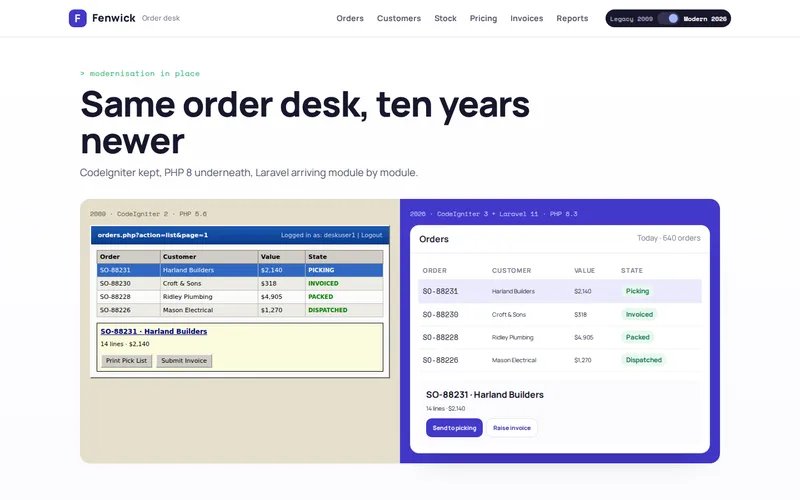
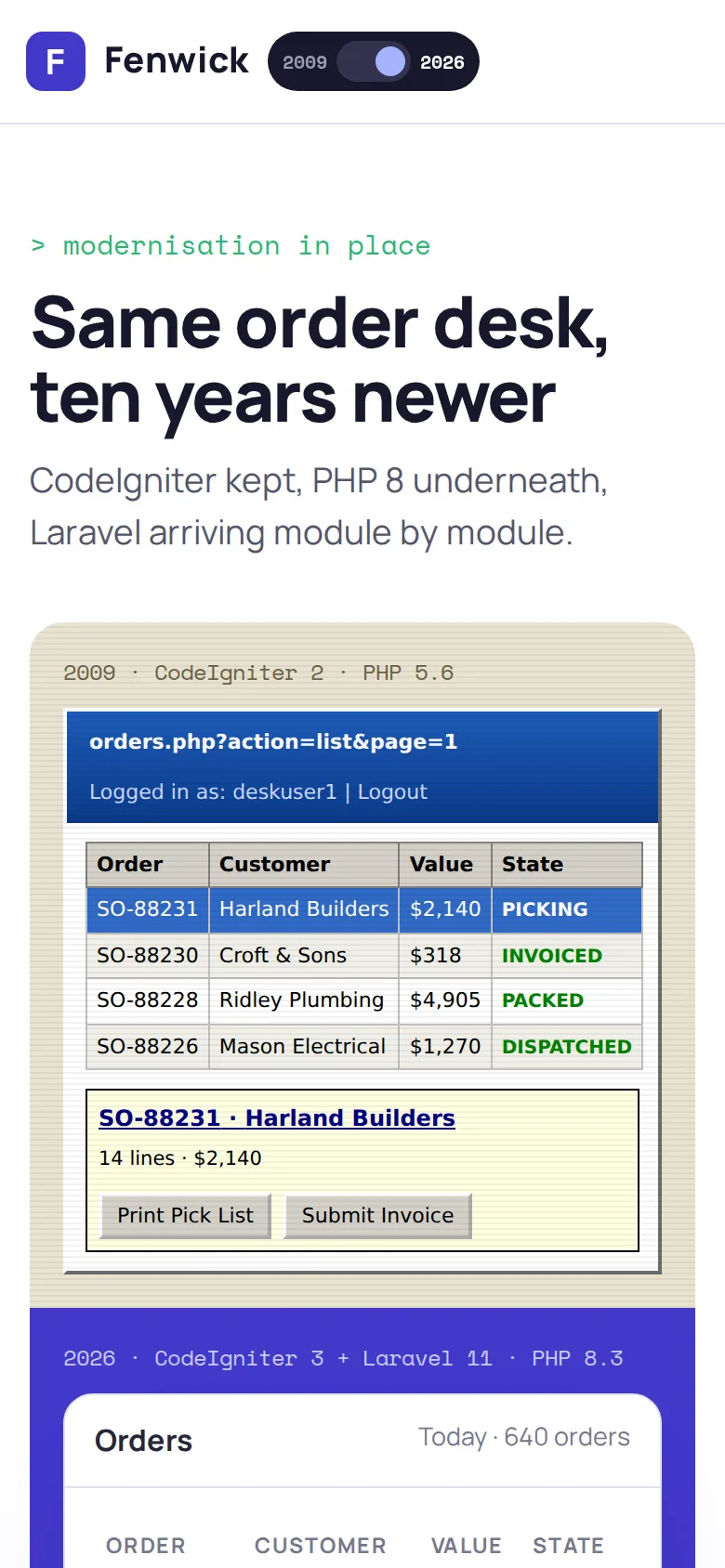
On our trade supplier order desk project, a full rewrite had been quoted at nine months. The business could not wait that long: the host was retiring PHP 5.6, some screens took over eight seconds to load, and the application processed around 600 orders a day. So we modernised it in place instead, in stages, behind the same URLs.
Whether to upgrade, maintain or move frameworks at all is a separate decision, and we covered it in CodeIgniter in 2026: upgrade, maintain, or migrate to Laravel. Here we assume the decision is made and the question is how to carry it out safely.
Step 1: Map the System Before Changing It
Nobody can protect what they cannot see. Before any code changes, we trace every screen from its route to the queries it runs: what it reads, what it writes and which business rules it applies along the way. On the trade supplier system that meant 214 controllers, 96 database tables and no tests at all.
The output is not documentation for its own sake. It is a risk map that sets the order of work:
- Money paths: pricing, discounts, VAT, credit limits and invoicing. These get tests first and change last.
- Slow paths: the screens and reports staff complain about. Early wins that buy goodwill.
- Change paths: the modules the business most wants to improve. First in line for the new framework.
- Hidden paths: scheduled jobs, exports and integrations that run without anyone watching. Easy to break, hard to notice.
Step 2: Put Tests Around Every Path That Touches Money
Legacy code rarely has tests, and writing "proper" unit tests for it is slow because it was never designed to be tested. The faster and safer approach is characterisation testing: feed the existing code a wide range of real inputs, record what it produces, and assert that it keeps producing exactly that.
For the trade supplier, the PHPUnit suite covered trade bands, quantity breaks, contract prices, VAT rounding and delivery thresholds, all checked against results from the old system. Those tests run in GitHub Actions on every change, so neither an upgrade nor a refactor can quietly alter what a customer pays.
One rule matters more than any other here: do not fix pricing bugs during a migration. If the tests reveal that the old system rounds oddly or applies a discount in a surprising order, write it down and agree a fix with the business as a separate, deliberate change. Mixing "make it the same" with "make it right" is how invoices change without anyone deciding they should.
Step 3: Get Onto a Supported Runtime First
An application on an unsupported PHP version is a security problem and a hosting problem before it is a code-quality problem, so we fix that first and with as little change as possible. On the trade supplier system, stage one moved it to CodeIgniter 3 on PHP 8.3. We worked on a copy, fixed 340 incompatibilities (deprecated functions, removed extensions and changed error handling) and tested every screen against a snapshot of live data. It went live three weeks before the host's deadline.
With tests in place, performance work became safe too. Missing indexes, N+1 queries in the pricing engine, Redis caching for repeated lookups and a report that loaded the entire order history to show one week took the slowest screens from eight seconds to under half a second. If your own system is slowing down as it grows, why sites slow down as their database grows explains where to look, and our database development team does this kind of tuning.
Step 4: Replace One Module at a Time
This is the strangler approach: new code grows around the old application and takes over one area at a time until the old code has nothing left to do. In practice, the web server decides which application answers each URL. A route that belongs to a rebuilt module goes to Laravel; everything else still goes to CodeIgniter. Staff see one system.
Three things make the seam invisible:
- Shared sign-in. Both applications read the same session, so nobody logs in twice when they move between old and new screens.
- Shared database, clear ownership. Both applications use the same tables, but each table has one owner that writes business rules into it. The other side reads, or calls the owner.
- The same pricing tests. The rebuilt module must pass the characterisation suite written against the old one before it takes any traffic.
On the trade supplier system, four modules have been rebuilt in Laravel 11 so far, chosen because they were the areas the business wanted to change most, with no change to how staff work. The rest can move when there is a reason to move them, not because a rewrite plan says so.
Changing the Data Without a Freeze
Schema changes are where in-place modernisation most often goes wrong, because the old code still reads the tables the new code wants to reshape. The safe pattern is expand, migrate, contract:
- Expand: add the new column or table alongside the old one. Nothing that exists breaks.
- Backfill and dual-write: copy existing data across in small batches outside trading peaks, and have the owning code write both shapes for a while.
- Switch reads: move readers to the new shape one at a time, checking results as you go.
- Contract: remove the old column only when nothing reads it, which the route-to-query map from step 1 can confirm.
Every step is a versioned migration, and none of them requires the system to stop. Renaming a column the old code depends on in a single step, by contrast, is a guaranteed outage.
Cut-Over Is a Routing Change, Not an Event
Because each module moves by changing a route, each cut-over is small and reversible. We switch at a quiet time, watch error logs, order counts and invoice totals against the same period the previous week, and agree in advance what would trigger switching the route back. Most of the time nobody outside the project notices that anything happened, which is the point.
After go-live, a light maintenance and support arrangement keeps the dependencies current so the system does not drift back into the state it started in.
What to Ask a Developer Before They Start
- Will you read the code and map it before you quote the full job?
- How will you prove that prices and invoice totals have not changed?
- Which step gets us onto a supported PHP version, and how soon?
- How will old and new code share sign-in and data during the transition?
- How is each cut-over reversed if something looks wrong?
If your order system is the one nobody dares to touch, tell us what it runs on and what is worrying you. We will start by reading the code and sending you a risk map of where the money paths are, before anything changes.
Frequently Asked Questions
How long does it take to modernise a legacy PHP order system?
It depends on the size of the application and how much of it the business actually wants to change. Getting onto a supported PHP version is usually the first milestone and can often be reached in weeks once the code has been mapped. Moving modules to a new framework then continues at whatever pace the budget and priorities allow, because each module is useful on its own and nothing has to wait for the whole migration to finish.
Can we keep adding features while the system is being modernised?
Yes, and that is one of the main advantages over a rewrite. New features can be built straight into the new framework as their own modules, so they become part of the migration rather than competing with it. The one exception is the pricing and invoicing code: changes there should wait until it is covered by tests, so that intended changes and accidental ones can be told apart.
What happens to our data during a framework migration?
It stays in the same database. Both the old and the new application read and write the same tables during the transition, so there is no big export and import on a cut-over night. Where the structure of a table needs to change, it is done in small steps that never break the code still reading it, with each step recorded as a versioned migration that can be reviewed and repeated.
Do staff need retraining when modules move to Laravel?
Usually not. The aim is for each rebuilt module to look and behave the way staff expect, at the same address, with the same sign-in. Improvements to a screen are agreed with the people who use it and introduced deliberately, rather than arriving as a side effect of the technology change. Where a module is redesigned on purpose, a short walkthrough is normally enough.
Is the strangler approach more expensive than a rewrite overall?
Sometimes the total engineering effort is similar, but the cost profile is very different. Value arrives early: a supported runtime, faster screens and tested pricing come within the first stages, and every module moved is finished work. A rewrite spends most of its budget before anyone benefits and carries the risk of losing business rules on the way. For a system that takes orders every day, spreading the cost and the risk is usually the better trade.