Growth & Support
Replatforming Without Losing Search Traffic: The Redirect Plan
Most traffic lost in a website migration is lost through missing or careless redirects. Here is how we list every old URL, map it to the right new page, implement redirects properly and test them before and after launch.
The new site launches, everyone is pleased with how it looks, and a few weeks later organic traffic is noticeably down. Pages that used to rank have vanished from search results, old links from other sites lead to a not-found page, and nobody is sure which of the hundreds of old addresses went where. In most cases the cause is not the new design or the new platform. It is the redirect plan, or the lack of one.
Every project in our website migration and replatforming service starts with this plan, before design or content work, because it is the part that protects the rankings you already have. Here is how we build it.
Build the Complete List of Old URLs
You cannot redirect a page you do not know exists, and no single source lists them all. We combine:
- A full crawl of the current site with a tool such as Screaming Frog, following every internal link.
- The XML sitemaps, which often include pages no longer linked from menus.
- Google Search Console, exporting pages with impressions and clicks over the last twelve to sixteen months, so seasonal pages are not missed.
- Analytics landing pages, showing which URLs real visitors arrive on.
- Backlink data, because a page with good external links is worth preserving even if it gets little traffic today.
- Server logs where available, to catch PDFs, images, old campaign links and URLs from earlier migrations that still get requests.
Deduplicate the list, then rank it by traffic and links. The top few hundred URLs deserve individual attention; the long tail can often be handled by patterns.
Map Every URL to Its Closest Equivalent
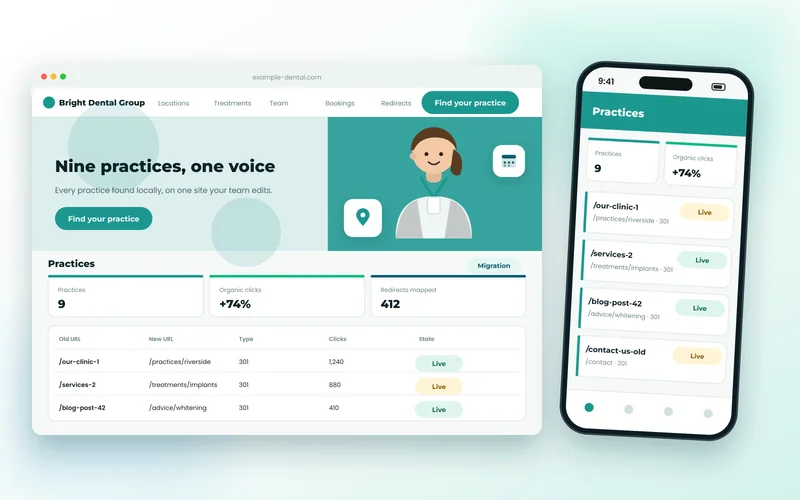
The mapping is a spreadsheet with the old URL, the new URL, the redirect type and a note. The rules we follow:
- One to one wherever possible. A product, article or service page should point to its direct replacement.
- Closest relevant page otherwise. A discontinued product goes to its category or its successor, not to the home page. Search engines tend to treat mass redirects to the home page as if the page had simply disappeared.
- A deliberate 410 or 404 for content that is truly gone and has no sensible equivalent, such as expired event pages with no links.
- Patterns for large, regular sets, such as thousands of products whose slugs stay the same while the folder changes. Test every pattern against the real list, because one greedy rule can catch URLs it was never meant for.
The new platform often dictates URL shapes. Shopify, for example, requires its own prefixes such as /products/, /collections/ and /pages/, so a move to it nearly always changes every URL. Our Shopify development and WordPress development projects plan for this from the first sitemap. For store moves specifically, our Magento to Shopify migration guide covers the data side.
Implement Redirects the Right Way
- Server-side permanent redirects: 301 or 308. JavaScript redirects and meta refresh tags are slower and less reliably understood.
- One hop only. Old URL to final URL, with no chains. If the site has been migrated before, update the older redirects so they point straight to the new destination rather than through a series of hops.
- Consistent forms of every URL. Decide on HTTPS, www or not, trailing slashes and lower case, and make each variant reach the final page in a single redirect.
- Keep meaningful query strings, such as tracking parameters or product variants, and drop the rest.
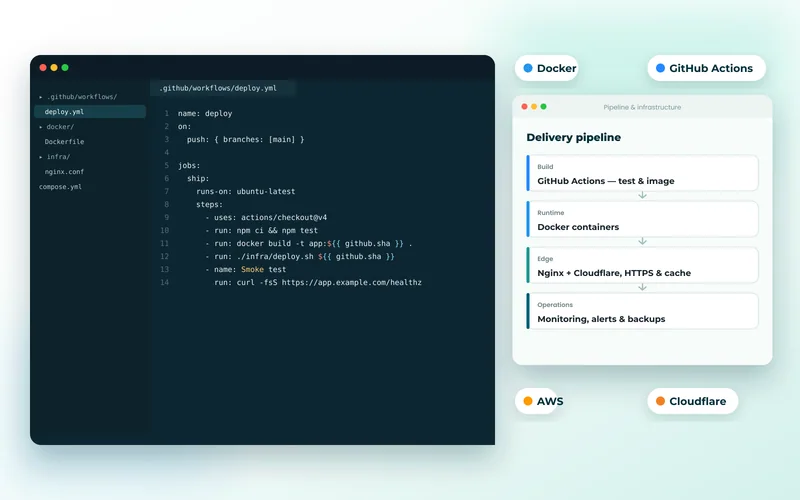
Where the rules live depends on the platform: an Nginx map file or Apache rules on your own server, bulk redirect rules at a CDN such as Cloudflare, a redirect plugin in WordPress, or the built-in redirect manager in Shopify, which only acts on paths that no longer exist on the store. Large redirect sets belong at the server or edge rather than in application code, where they would slow every request. Our hosting and server management team handles the server and CDN side.
Carry Over What Search Engines Read
Redirects pass visitors and signals to the new page, but the new page still has to deserve its ranking. Before launch, check that:
- Titles, meta descriptions, headings and body copy for important pages are kept or improved, not shortened by a new template.
- Structured data, canonical tags and hreflang annotations are present and point at the new URLs.
- Internal links in menus and content point directly at new URLs instead of relying on redirects.
- The XML sitemap lists only new, indexable URLs.
- The staging site's noindex tag and robots.txt block are removed at launch. Forgetting this is one of the most damaging and most common launch mistakes.
Our technical SEO team checks these items against the technical SEO checklist on every migration.
Test Before Launch, Then Again After
- Run the full list of old URLs against the staging site and confirm each returns a single redirect to the expected destination, and that the destination returns 200.
- Repeat the same test on the live site within an hour of launch.
- Submit the new sitemap in Google Search Console. If the domain has changed, use the Change of Address tool as well.
- Watch server logs and Search Console for not-found errors daily for the first few weeks, and add redirects for anything missed.
- Ask the owners of your most valuable external links to update them where practical.
What to Expect Afterwards
Some movement in rankings is normal while search engines recrawl the site and process the redirects, and it can take several weeks to settle. Compare traffic by page group rather than site-wide totals, so a problem in one section is not hidden by growth in another. Keep the redirects in place for at least a year, and in practice indefinitely, since old links and bookmarks never fully disappear. If the domain or hosting is also changing, our guide on moving hosting and DNS without downtime covers that side of the switch.
If you are planning a new site or platform and want to keep the traffic you have earned, talk to us before the old URLs change. We will build the redirect map, test it and watch the results with you after launch.
Frequently Asked Questions
How long should redirects stay in place after a migration?
At least a year, and ideally permanently. Search engines need time to recrawl and transfer signals to the new URLs, and links from other sites, emails, printed material and bookmarks keep sending people to old addresses for years. Removing redirects early throws that traffic away for no real benefit.
Is it normal for search traffic to drop after a new website launches?
A short period of fluctuation is common while search engines recrawl the site, but a large or lasting drop usually points to a fixable cause: missing redirects, redirects to irrelevant pages, a leftover noindex tag, or important content removed from key pages. Comparing traffic by page group quickly shows where the loss is.
Can we just redirect all old pages to the home page?
It is quick but costly. Search engines generally treat a redirect to an unrelated page as if the original page no longer exists, so its ranking and link value are largely lost, and visitors arriving from an old link do not find what they were looking for. Redirect each page to its closest relevant equivalent instead.
Do we need to keep the same URLs when moving to a new platform?
Keeping URLs identical is the safest option where the new platform allows it, as no redirects are needed for those pages. When it does not, as with Shopify’s fixed URL prefixes, well-planned one-to-one 301 redirects preserve most of the value. Changing URLs only to make them slightly neater rarely justifies the risk.
How many redirects are too many for a website?
There is no practical limit on the number of redirects, only on how they are implemented. Thousands of rules handled by the web server or CDN have no noticeable effect on speed. Problems come from chains of several hops, redirect loops, or long lists of rules processed in application code on every page request.