Performance
Running a Large Recipe Archive: Search, Structured Data, Ads and Editorial Workflow
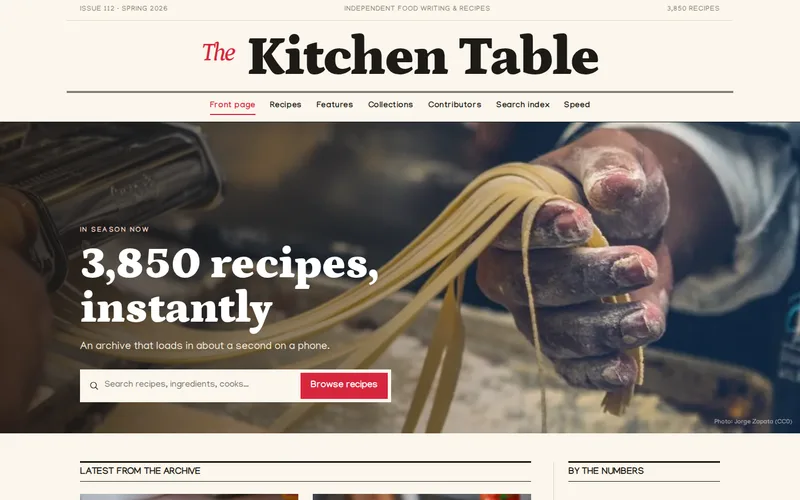
A recipe archive with thousands of pages is a publishing business and a database at the same time. Here is how we structure recipes, keep search and browsing fast, balance advertising against page speed and set up an editorial workflow that copes with the back catalogue.
A food site with a few hundred recipes can run on almost anything. At a few thousand, the weaknesses show: recipes entered five different ways over ten years, search that cannot find "chicken" without also finding every page that mentions stock, advertising scripts that make phones wait, and editors who are afraid to touch old content in case something breaks.
We rebuilt exactly this kind of site for an independent food magazine, using our Astro and Svelte development service. The lessons apply to any large content archive, whether it holds recipes, how-to guides or product articles.
The Back Catalogue Is the Asset
On most recipe sites, a large share of search traffic lands on recipes that are years old. A reliable roast potato method does not go out of date. That changes how the archive should be treated: old recipes are not legacy content to be tolerated, they are the inventory that pays for everything else.
In practice that means every recipe, old or new, must meet the same standard: the same fields, the same markup, the same page speed. On the food magazine archive, all 3,850 recipes were migrated into one set of structured fields, with checks for missing timings, yields and images along the way. The migration was the bulk of the work, and it is the part that made everything after it possible.
Structure the Recipe Before You Mark It Up
Search engines show recipe rich results, with images, timings and ratings, when a page's structured data is complete and consistent. Most archives fail here not because they lack markup, but because the markup is generated from inconsistent content. The magazine's old site had recipe markup from two plugins that disagreed with each other.
The fix is to store recipes as data rather than as formatted text:
- Ingredients as a list of entries, not a paragraph, so they can be marked up, scaled and searched.
- Method as numbered steps, each its own entry.
- Prep, cook and total times as numbers, not phrases like "about an hour".
- Yield, nutrition, cuisine and dietary tags as fields, with a fixed list of values for the tags.
- One template generates the markup for every recipe, so a fix made once is fixed everywhere.
Structured fields pay for themselves several times over. The same data drives the markup, the ingredient scaler, the dietary filters and the search index. Validate a sample of pages with a rich results testing tool after launch and again after every significant template change.
Search and Browsing at Archive Scale
Readers search a recipe site differently from a shop. They search by ingredient ("what can I do with courgettes"), by constraint ("vegetarian, under 30 minutes") and by occasion. A generic keyword box over full page text is not enough; search should work over the structured fields, with filters for time, diet and course.
Browsing matters as much as search. Collection, tag and contributor pages are how readers move from one recipe to the next, and they are also how search engines discover deep archive content. On the magazine's site these pages are pre-built, so moving from a weeknight collection into a contributor's back catalogue feels instant. A few rules we follow for archive pages:
- Give every collection page an introduction written by a person, not just a grid of cards.
- Keep tags to a controlled list. Hundreds of tags with two recipes each create thin pages that help nobody; we merge them or keep them out of the index.
- Use plain, crawlable pagination links, not only infinite scroll.
- Redirect old URLs when a recipe is renamed or merged, so years of links keep working.
Ads Versus Speed Is a Negotiation, Not a Choice
Advertising is often what pays for a food site and also what makes it slow. The magazine's old pages took four to six seconds to show the main content on a phone, largely because of the JavaScript bundle and a stack of advertising and analytics scripts. After the rebuild, mobile largest contentful paint is around 1.1 seconds and JavaScript per page is down by 68%, without removing the commercial scripts.
What made the difference:
- Only interactive pieces load JavaScript. Search, filters and the ingredient scaler are small Svelte islands; the rest of the page is plain HTML. This is the approach we describe in shipping less JavaScript on purpose.
- Ads and analytics load behind a consent-aware loader, off the critical rendering path, so the recipe appears first.
- Images are sized and served from a CDN, so a phone never downloads a desktop photograph.
- Performance is checked on every change with Lighthouse CI, so a new script or template cannot quietly undo the work.
Two further habits help on any ad-funded site. Reserve the space for each ad slot in the layout so the page does not jump when an ad arrives; layout shift is the most irritating thing a reader experiences mid-recipe. And look at revenue per session alongside speed, not ad units per page: a faster page that keeps readers for a second recipe can earn more with fewer units.
An Editorial Workflow That Copes With Thousands of Pages
Editors need to publish new recipes quickly and fix old ones without fear. On the magazine's site, content stays in the CMS the team already used and is pulled in at build time, with on-demand rebuilds so an edit goes live without republishing the whole archive. Whatever the platform, we look for:
- Required fields that stop a recipe being published without a time, yield or main image.
- Preview that shows the real page, including how it will look on a phone.
- Contributor records entered once and linked from every recipe, so author pages build themselves.
- Visible "last updated" dates when a recipe is materially revised, and a record of what changed.
- A regular broken-link and missing-image report, because large archives decay a little every month.
If your content already lives in a capable CMS, you may not need to move it at all. Keeping the editing environment and replacing the front end is a common pattern, and our headless CMS service and the comparison of headless and traditional CMS explain when that split makes sense.
Before You Plan a Rebuild
Gather these first; they shape every decision:
- Real mobile performance for your ten most visited recipes, not just the homepage.
- A list of every third-party script on a recipe page, who owns it and what it earns.
- How many recipes are missing times, yields or images today.
- Which tags and collections actually bring in traffic.
- Rich result status for recipes in Search Console.
Sometimes the right answer is a full rebuild. Sometimes it is a focused round of speed optimisation and a technical SEO pass on the recipe template. If you run a large archive and are not sure which you need, send us the address of your busiest recipe page. We will measure it on a mid-range phone and show you where the time goes.
Frequently Asked Questions
Will moving our recipe archive to a new platform hurt our search traffic?
It can if URLs change without redirects or if structured data is lost, which is why both are planned before the move. Every existing recipe URL should either stay the same or redirect to its new address, and recipe markup should be at least as complete as before. Done carefully, a migration that fixes inconsistent markup and slow pages usually improves visibility, but expect some movement in the first weeks while search engines recrawl the archive.
Which recipe structured data fields matter most?
The recipe name and an image are the minimum for rich results. Ingredients, step-by-step instructions, prep and cook times, yield and author make the result more useful and more likely to be shown. Nutrition, ratings and video are worth adding when you have genuine data for them. The more important point is consistency: every recipe should produce the same complete set from structured fields, rather than some recipes having full markup and others almost none.
Do we have to remove ads to get a fast site?
No. The biggest gains usually come from how ads and other scripts load, not from removing them. Loading them after the main content, behind the consent choice, with reserved space so the page does not shift, keeps the recipe fast while the commercial scripts still run. It is worth reviewing whether every ad unit earns its place, because a small number of well-placed units often perform as well as a crowded page.
How should site search work on a large recipe site?
It should search structured fields such as title, ingredients, course and dietary tags, rather than the full text of every page, and offer filters for the constraints readers care about, like time and diet. For a mostly static site, a search index built at publish time is fast and cheap to run. Larger or more dynamic archives may justify a hosted search service. Either way, look at what readers search for and fail to find; those searches are a list of recipes to write.
Can we keep our current CMS and still get a faster site?
Often, yes. If editors are happy with the CMS and the content is reasonably structured, the front end can be rebuilt to pull content from it and serve pre-built pages, leaving the editing experience unchanged. If the content itself is inconsistent, some restructuring of fields is needed either way, and that work is worth doing whatever front end you choose.