Mobile Apps
School Communication Apps: Notifications Parents Actually Read
Parents ignore school messages for the same reason they ignore marketing email: too many, too similar and badly timed. Here is how we design a school app so urgent messages stand out, consent forms come back, translations work and children's data stays protected.

A school that sends everything as a push notification soon discovers that parents have stopped reading any of them. The closure on a snowy morning arrives looking exactly like the reminder about non-uniform day, and both are swiped away. The technology works perfectly, but the communication fails.
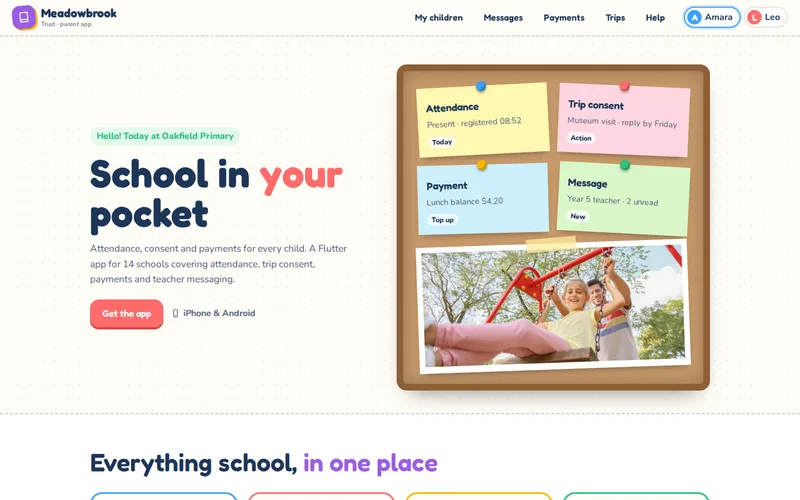
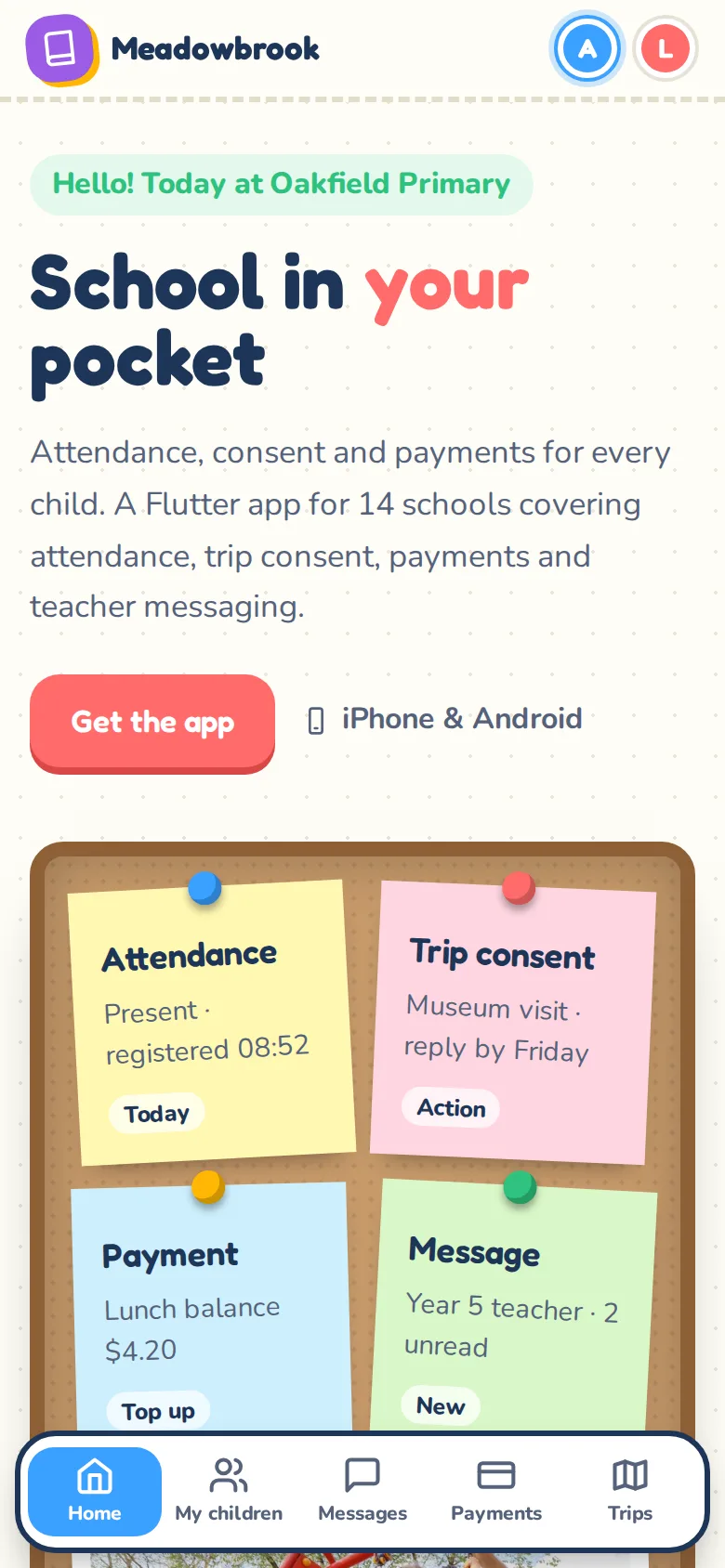
Getting a school app right is mostly about deciding what each message is, who should get it and when. The code comes second. We build these apps through our Flutter app development service, and the parent app we built for a 14-school trust is the example we draw on here: attendance, trip consent, payments and teacher messaging in one app, with one login for families who have children at more than one school.
Sort Messages by Urgency Before Writing Any Code
Every message a school sends belongs to one of a few types, and each type deserves different treatment:
- Urgent: closures, changes to pick-up, safeguarding alerts. A push notification every time, at any hour if necessary.
- Action needed: consent, payments, forms with a deadline. A notification when sent, reminders only to families who have not responded.
- Information: newsletters, event news, menus. Available in the app and collected into a digest, rarely pushed on their own.
- Conversation: one-to-one messages between a parent and a teacher.
The trust's app makes notifications per child and per category, so parents choose what reaches them, and every notification is labelled with the child and the school. A parent with a child at primary and another at secondary always knows which message, payment or trip they are looking at. The one thing parents should not be able to switch off is the urgent category, and schools should treat that category with discipline so it keeps its meaning.
Quiet Hours and Batching
A teacher who catches up on messages at ten at night should not wake a family. Build quiet hours into the platform rather than relying on staff to remember:
- Hold non-urgent notifications sent in the evening until the morning, while the message itself is available in the app straight away.
- Let staff schedule messages so a letter written on Sunday goes out at a sensible time on Monday.
- Batch information messages into one daily or weekly digest instead of five separate alerts.
- Keep an override for urgent messages, limited to named staff, with every use logged.
Show staff, before they press send, how many families a message will reach and whether it will notify them now or later. Most over-messaging is accidental.
Consent Forms That Come Back
Paper slips fail because they are a separate task: find the slip, find a pen, find the money, remember to put it in the bag. In the trust's app, trip consent, medical notes and payment are a single form, paid through Stripe, so the school receives the consent and the money together. Reminders go automatically to families who have not replied, and nobody else. Return rates improved dramatically once replying became one tap and a payment.
When you design forms:
- Pre-fill everything the school already knows from the management information system.
- Show the deadline on the form and in every reminder.
- Let staff see who has not responded and send a reminder to that group only.
- Record who gave consent and when, against the pupil, for later reference.
Our payment integration work keeps card details with the payment provider, never on the school's systems.
Translations Without Losing Meaning
In many schools a significant number of families read English as a second language, and a message they cannot understand is a message they did not receive. Plan for translation from the start:
- Store each parent's preferred language, ideally from the management information system, so it does not depend on parents finding a setting.
- Translate the app's own interface properly. Flutter has solid localisation support, including right-to-left layouts.
- Use machine translation for routine messages, marked as translated, with the original one tap away.
- Do not rely on machine translation for medical, safeguarding or legal content. Those messages need a person, or a pre-translated template.
Children's Data: Privacy Rules for the Build
A school app holds names, attendance, medical notes and family relationships for children who cannot consent for themselves. Agree these rules with the data protection lead before development starts:
- Collect only what each feature needs, and complete a data protection impact assessment.
- Keep sensitive detail off the lock screen. A notification should say "New message about Sam" rather than quote a medical note.
- Respect contact permissions from the MIS. Not every adult linked to a child should see everything, particularly where there are court orders or restrictions on contact.
- Hold messages against the pupil record, not in personal inboxes, so safeguarding and pastoral teams have the full picture. That is how the trust's messaging works.
- No advertising or tracking SDKs. Analytics, if any, should be minimal and documented.
- Retention rules for messages, forms and photos, applied automatically.
The trust's app syncs attendance, timetables, balances and contacts with the MIS, so staff never retype data and permissions stay in step. That integration sits on our API and integration work, and it is what keeps the rules above enforceable.
Measure Reading, Not Sending
Read status on messages tells staff whether an important message has been opened. Across the whole platform, read rates by category show whether the urgency levels are working. If information messages are read less than urgent ones, the system is doing its job. If urgent messages are read late, too many things are being marked urgent.
The trust's app uses Firebase Cloud Messaging for delivery, which is free to send but needs careful handling of device tokens when families change phones. Our guide to Firebase for mobile apps covers where it fits and where it does not, and our mobile app development page outlines the wider process.
Questions to Ask a Developer
- How are message types, quiet hours and overrides handled, and can we configure them per school?
- Which MIS do you integrate with, and how often does the data sync?
- What appears on a lock screen for each type of message?
- How do contact restrictions from the MIS carry through to the app?
- What fallback is there for families who do not use the app?
If your school or trust is juggling texts, letters and several portals, tell us which MIS you use and how many schools are involved. We can map your current messages into types and show what a single app would replace.
Frequently Asked Questions
Should schools stop sending email and text messages once they have an app?
Not immediately. Some families will not install the app, and urgent messages such as closures should reach everyone. Most schools keep email or text as a fallback for families who have not activated the app, then reduce paper and text gradually as adoption grows. The app can report which families have not signed in, so the office knows who still needs another channel.
How do we stop staff over-using urgent notifications?
Limit the urgent category to named roles, show the number of families who will be notified before sending, and log every use. A short written policy helps: closures, safety and pick-up changes are urgent, while reminders and events are not. Reviewing read rates by category each term shows quickly whether the urgent label is being diluted.
Can one app work for separated parents?
Yes, if it follows the contact and parental responsibility information held in the school's management information system. Each adult signs in with their own account and sees what the school allows them to see. Where there are restrictions, the app should enforce them automatically from the MIS rather than relying on staff to remember who can see what.
Is machine translation good enough for school messages?
For routine messages such as event reminders and newsletters, it is usually good enough, especially when it is clearly marked and the original text is one tap away. For medical, safeguarding or exclusion matters it is not, because a small mistranslation can change the meaning. Use human translation or pre-approved translated templates for those.