Cloud, Data & AI
Zero-Downtime Deployments for a SaaS on Kubernetes: Health Checks, Migrations and Rollbacks
Kubernetes can roll out a new version without anyone noticing, but only if the application cooperates. Here is what makes releases invisible to users: honest health checks, graceful shutdown, database migrations that both versions can live with, and rollbacks you have actually tested.

"Zero downtime" sounds like a feature of the platform. Kubernetes does a lot of the work: it starts new copies of a service, waits for them to be ready, moves traffic across and retires the old ones. But a rolling deploy only stays invisible to users if the application cooperates. Most of the release outages we are asked to explain happened on a cluster that was doing exactly what it was told.
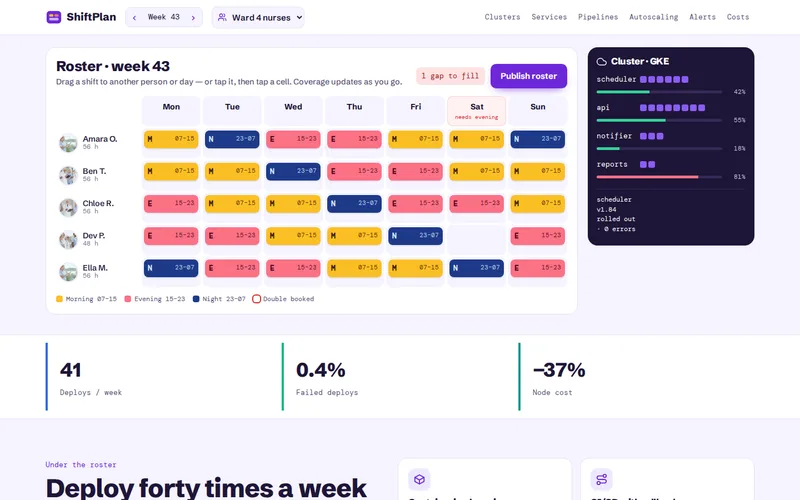
This is what we put in place through our Docker and Kubernetes service to make releases boring, with the platform we built for a workforce rostering SaaS as the reference point. That product went from one deployment a week, in a Sunday-evening maintenance window, to around forty a week with no window at all.
How a Rolling Deploy Actually Works
When you push a new image, a Deployment replaces pods gradually. Two settings control the pace: maxSurge, how many extra pods may run above the desired count, and maxUnavailable, how many may be missing. For customer-facing services we usually set maxUnavailable to zero, so capacity never drops during a release, and allow a small surge. The cost is briefly running a few extra pods, so the cluster needs headroom for them.
During the rollout, both versions serve traffic at the same time. Almost everything else in this article follows from that one fact.
Health Checks That Tell the Truth
Kubernetes sends traffic to a pod once its readiness probe passes. If the probe is wrong, traffic arrives at a pod that cannot handle it.
- Readiness should answer "can I serve a request right now?" Check what the service needs to do its job, such as a database connection, and fail quickly when it cannot.
- Liveness should answer "am I stuck?" Keep it shallow. A liveness probe that checks the database will restart every pod in the service when the database has a slow minute, turning a blip into an outage.
- Startup probes give slow-booting services time to start before liveness checks begin.
On the rostering platform, GitHub Actions builds, tests and scans each image, then rolls it out with health checks. If the new version fails them, the rollout stops and the previous version keeps serving. Only around 0.4% of deployments have needed that rollback, and it happens without anyone being woken up.
Shutting Down Gracefully
The other half of a rolling deploy is retiring old pods, and this is where dropped requests usually come from. When Kubernetes terminates a pod it sends SIGTERM and, at roughly the same moment, removes the pod from the service's endpoints. Those two events are not synchronised, so for a second or two the ingress may still route requests to a pod that has begun shutting down.
- Add a short preStop delay of a few seconds, so endpoint removal propagates before the application stops accepting connections.
- Handle SIGTERM in the application: stop taking new work, finish requests in flight, close database connections, then exit.
- Set terminationGracePeriodSeconds longer than your slowest legitimate request.
- For queue workers, stop pulling new jobs and either finish or release the current one so it is retried elsewhere.
- Add a PodDisruptionBudget so node upgrades and scale-downs cannot take out every replica at once.
WebSocket connections need extra thought. They will be cut when the pod goes, so clients must reconnect cleanly and the server must not treat a reconnect as a brand-new session.
Database Migrations That Do Not Break the Running Version
This is the hard part, and Kubernetes cannot help with it. During a rollout, old and new code share one database. If the new release renames a column and the migration runs first, the old pods start failing. If the migration runs after the rollout, the new pods fail until it finishes.
The answer is to split every breaking schema change into backward-compatible steps, often called expand and contract:
- Expand: add the new column or table. Old code ignores it.
- Dual write: release code that writes to both old and new, and still reads from the old.
- Backfill: copy existing data across in batches, outside the deploy, so a busy table is never locked for long.
- Switch reads: release code that reads from the new structure.
- Contract: once no running version uses the old column, remove it in a later release.
A rename becomes three or four deploys instead of one. When releases are automated and frequent that costs very little, and it is what lets a team deploy on a busy Monday morning without fear. Other rules we apply: never add a NOT NULL column without a default to a large table in one step, build PostgreSQL indexes concurrently, and run migrations as a separate job that must succeed before the rollout begins. Our database development team reviews migrations on large tables before they ship.
The same compatibility rule applies to everything else two versions share: API responses used by a mobile app, messages on a queue, cached objects. New code must read what old code wrote, and old code must tolerate what new code writes.
Rollbacks: What They Can and Cannot Undo
Rolling back a Deployment or a Helm release restores the previous image in minutes. It does not roll back the database, files written to storage, emails already sent or messages already consumed. That is one more reason to keep migrations additive: the old code still works against the new schema, so the rollback is safe.
Make rollback a tested path rather than an emergency procedure. Keep previous images available, keep Helm release history, and agree in advance which metrics trigger a rollback. On the rostering platform, Prometheus and Grafana track latency and error rates per service and alerts go to the on-call engineer, so a bad release shows up on a dashboard rather than in support tickets.
For riskier changes, a canary release sends a small share of traffic to the new version first and compares its error rate with the old one. Feature flags go further, separating deploying code from switching a feature on, so a problem can be turned off without a deploy at all.
A Pre-Release Checklist
- maxUnavailable set to zero for user-facing services, with spare capacity for the surge.
- Readiness, liveness and startup probes that each check the right thing.
- SIGTERM handled, a preStop delay, and a grace period longer than the slowest request.
- PodDisruptionBudgets on every service with more than one replica.
- Every migration compatible with the version currently running.
- Rollback rehearsed, with the metrics that trigger it agreed.
If you are still deciding whether your product needs a cluster at all, start with do you actually need Kubernetes? Graceful shutdown and expand-and-contract migrations apply just as well to Docker on a single server, and our cloud and DevOps services cover both set-ups.
If your releases still need a maintenance window, tell us how you deploy today and what broke last time. We will review your manifests, probes and migration habits and send back a written list of what to change first.
Frequently Asked Questions
Do we need Kubernetes to get zero-downtime deployments?
No. A load balancer in front of two or more application servers, or a blue-green switch on a single server running Docker, can achieve the same result. What matters more is the application side: health checks, graceful shutdown and database migrations that the old and new versions can both run against. Kubernetes automates the orchestration, but it cannot fix an application that drops connections or breaks the schema.
What is the difference between a rolling deployment and a blue-green deployment?
A rolling deployment replaces instances a few at a time, so old and new versions serve traffic together for a short period. Blue-green runs a complete second copy of the new version, then switches all traffic at once and keeps the old copy ready for an instant switch back. Blue-green needs double the capacity during a release; rolling is cheaper but means both versions must coexist safely.
How do we run a migration on a very large table without locking it?
Break it up. Add new columns as nullable first, backfill data in small batches with pauses between them, and create indexes concurrently on PostgreSQL. On MySQL, online schema change tools such as gh-ost or pt-online-schema-change copy the table in the background and swap it in at the end. Always rehearse the migration on a copy of production data to see how long it really takes.
What happens to scheduled jobs and background workers during a deploy?
Workers should finish or hand back their current job when they receive SIGTERM, and every job should be safe to run twice, because a retry after a shutdown is normal. For scheduled tasks on Kubernetes, set the CronJob concurrency policy so a slow run cannot overlap with the next one, and make sure jobs queued by the old version can still be processed by the new one.
How do we know a release is healthy enough to keep?
Decide before you deploy. Typical signals are the error rate, response time at the 95th percentile and the number of pod restarts, compared with the previous version over the first few minutes. If any of them crosses an agreed threshold, roll back first and investigate afterwards. Automating that comparison, as a canary analysis or a pipeline step, removes the temptation to wait and hope.