eCommerce
Seasonal Products in WooCommerce: Pre-Orders, Delivery Windows and Available-From Dates
In stock and out of stock do not describe products that only exist part of the year. Here is how we model seasonal availability in WooCommerce: season windows, expected-back dates, pre-orders charged at the right moment, delivery weeks customers choose, and product pages that tell the truth.

Most online stores sell products that exist all year. Plants, seasonal food, event merchandise, school uniform and limited production runs do not. They can be ordered before they exist, shipped only in certain weeks, or sold out until a date that is known well in advance. A store that treats them as ordinary stock either refuses orders it could have taken or takes orders it cannot honour, and both cost money.
WooCommerce handles this well once availability is modelled properly. This guide covers how we approach it in our WooCommerce development work, drawing on a garden nursery store where getting it wrong had moved most orders to the phone.
Why In Stock and Out of Stock Are Not Enough
Out of the box, a WooCommerce product is in stock, out of stock or on backorder. None of those says what a seasonal customer needs to know:
- Out of stock does not say whether the product is gone for good or back in six weeks.
- On backorder implies you will ship when you can, which is not a promise anyone can plan a delivery around.
- In stock says nothing about when the product can actually be dispatched, which for living or perishable goods may be weeks away.
The garden nursery store we rebuilt on WooCommerce shows the problem clearly. Bare-root trees can only be lifted and shipped in winter, potted plants sell out and come back weeks later, and a plant left in a courier depot over a weekend can arrive dead. The previous site promised availability the nursery could not honour, and refunds were eating the margin.
Model Availability as Data, Not a Switch
The fix was to stop toggling stock status by hand and give every product availability data instead. A custom availability plugin gives each plant a season, a lead time and a dispatch rule. From those, the store works out what it can sell and when:
- Season windows open and close products by date. Bare-root lines open when lifting begins and close when the season ends, without anyone remembering to switch them.
- Expected-back dates on temporarily unavailable lines, so customers see when something will be ready rather than a blunt sold-out message.
- Lead times per product, so the earliest dispatch date is calculated rather than guessed.
The principle applies well beyond plants. Any time a member of staff "knows" when something can ship, that knowledge belongs in a field on the product, where the store can use it.
Pre-Orders: Charge Now or Charge Later?
Letting customers order before a product is available is often the best way to sell seasonal stock, because it turns demand into commitments you can plan around. The first decision is when to take the money.
- Charge at order. Simple, protects you from no-shows, and suits limited runs. The cost is refunds if the crop fails or the run is cancelled, and some customers hesitate to pay months ahead.
- Charge on release. Customers are more willing to commit, but you need the card saved securely with the gateway so it can be charged later. A simple card authorisation will not do, because authorisations typically expire after around a week.
- Deposit now, balance later. A middle ground for high-value or made-to-order items.
Pre-order extensions for WooCommerce support the first two, but the payment side needs checking with your gateway. Our payment integration work covers saved cards, deposits and what happens when a delayed charge fails.
Also decide what happens when a pre-order and an in-stock item share a basket. Ship together when both are ready, split the shipment and charge for two deliveries, or keep pre-orders in their own checkout. Any of these can be right; leaving it undecided is not.
Delivery Windows Customers Choose
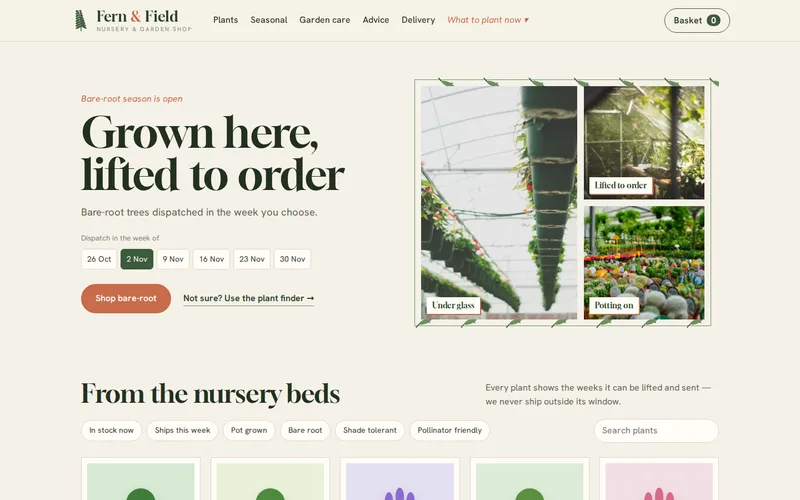
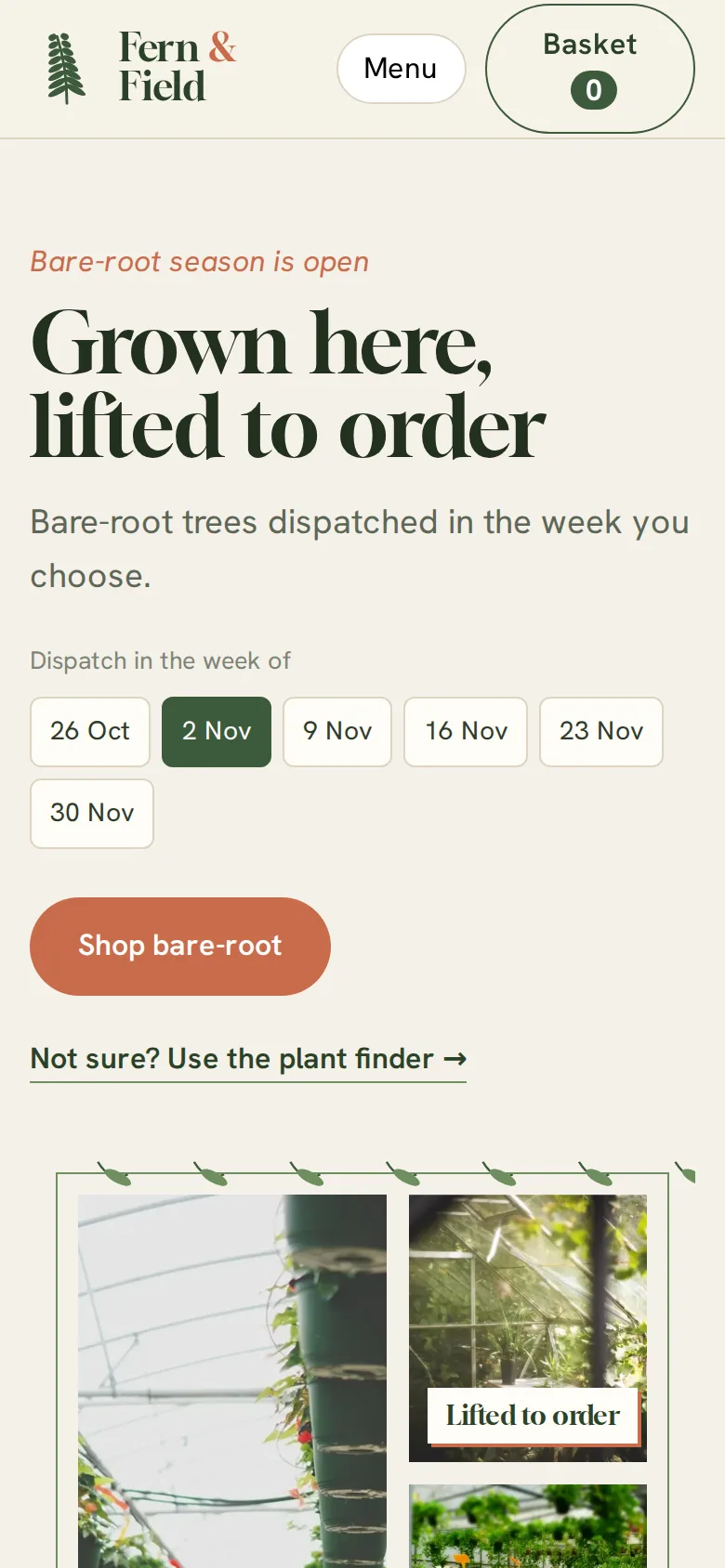
For goods that must arrive at the right time, letting the customer pick a delivery window is better than promising next-day dispatch. On the nursery store, checkout asks customers to choose a dispatch week, and only weeks the nursery can genuinely meet are offered, taking into account each plant's lead time, the season and any weekend or weather holds. A hedge order in November can be booked for a week when the customer will be home to plant it.
The chosen week is stored on the order, so the dispatch team plans week by week instead of reacting to a pile of urgent orders. Shipping rules then hold dispatch so nothing sits in a depot over a weekend, and pause shipments during heatwave holds. Refunds for plants damaged in transit fell sharply after those rules went in.
If your capacity is limited, add a ceiling per window. For example, a business that can pack 150 orders a week should stop offering a week once 150 orders are booked into it, rather than discovering the problem on Monday morning.
Tell the Truth on Every Page
Availability information is only useful where the customer sees it:
- Product pages should say plainly what will happen: "order now for dispatch from the week of 10 November" is better than an add-to-basket button and a surprise at checkout.
- Category pages need an "available now" filter so customers in a hurry can ignore everything else.
- Structured data should match: product schema supports availability values such as InStock, PreOrder and OutOfStock, and search engines show them.
- Out-of-season pages should stay live. Removing a seasonal product every spring throws away the search ranking it earned. Keep the page, explain when it returns and offer a back-in-season email.
Our technical SEO checklist covers structured data and indexing in more depth, and our technical SEO service can audit how your seasonal pages appear in search.
Emails That Carry the Plan
Seasonal orders have a long gap between payment and delivery, so emails do a lot of the work. Confirm the chosen window clearly, remind the customer shortly before dispatch, and send useful information with the parcel. The nursery includes the relevant planting and aftercare guides in the dispatch email, which reduced the number of enquiries asking why a plant had died after delivery. If those emails land in spam, the plan falls apart; that is worth checking before the season, not during it.
For large catalogues the extra availability logic also has a performance cost. Our article on scaling WooCommerce for large catalogues covers caching and query design that keep calculated availability fast.
Questions to Ask Before You Build
- Which products have seasons, lead times or release dates, and who knows them today?
- Do you charge pre-orders now, on release, or as a deposit?
- How many orders can you dispatch per day or week, and should the store enforce that?
- What happens to an order if the product fails to arrive or the season ends early?
- How do mixed baskets of available and future products ship?
If your stock follows a calendar and your website does not, send us a list of your seasonal lines and how you currently handle them. We will show you how the availability rules would work in WooCommerce before anything is built.
Frequently Asked Questions
Can WooCommerce show an available-from date instead of out of stock?
Not in core, which only knows in stock, out of stock and on backorder. An extension or a small custom plugin can add an available-from or expected-back date to each product and show it on product and category pages. The better approach is to store season and lead-time data on the product and let the store calculate the message, so nobody has to edit dates by hand every week.
Should seasonal products be hidden when they are not available?
Usually not. A product page that ranks well in search keeps that ranking only if it stays live. Leave the page up, explain when the product returns, offer a back-in-season email signup and suggest alternatives that are available now. Hide out-of-season items from your main category listings or add an available-now filter, so customers shopping today are not wading through things they cannot buy.
How do pre-orders work with Stripe or PayPal in WooCommerce?
If you charge at the time of order, the payment works like any other. If you charge on release, the gateway must save the customer's payment method as a token so it can be charged later, which Stripe and most major gateways support. Customers in the UK and Europe may occasionally be asked to authenticate the later charge, so the store needs a way to email them a payment link if that happens.
Can customers choose a delivery week rather than a specific day?
Yes. A delivery week selector at checkout can offer only the weeks you can genuinely meet, based on each product's lead time and season, and store the choice on the order for your dispatch team. Weeks suit goods like plants or made-to-order items where exact days are unrealistic. You can also close a week automatically once it reaches your packing capacity.
Will availability rules slow down a large WooCommerce store?
They can if every page calculates availability from scratch with heavy database queries. Built properly, availability is stored in indexed fields or precalculated when products or dates change, and pages are cached with an object cache such as Redis. Done that way, customers see accurate availability without noticeable impact on page speed, even across thousands of products.