eCommerce
Scaling WooCommerce: Making Large Catalogues Fast
WooCommerce is often blamed for being slow at scale. Usually the platform is not the problem — the database, the plugins and the hosting are.
"WooCommerce cannot handle large catalogues" is one of the most repeated claims in eCommerce, and it is mostly wrong. Stores with tens of thousands of products run perfectly well on it. Stores that struggle are almost always struggling with something specific and fixable.
Where the Time Actually Goes
The Database
WooCommerce historically stored product data across WordPress's posts and postmeta tables, which are flexible and not optimised for filtering thousands of products by attribute. Moving to high-performance order storage and ensuring products use proper lookup tables removes a large share of the problem.
Beyond that, it is the usual diagnosis: find the slow queries, look at what they filter on, index accordingly. We describe the method in why sites slow down as they grow, and it is the substance of database optimisation.
Plugins
The single most common cause of a slow WooCommerce store is plugin accumulation. Thirty active plugins, several loading scripts on every page including checkout, is normal and disastrous. Audit what is installed, remove what is unused, and replace heavy plugins with small amounts of custom code where a plugin does one thing you need and forty you do not.
Missing Object Cache
Without a persistent object cache, WordPress repeats the same database queries on every request. Adding Redis is frequently the single highest-return change available on a busy store, and it is often simply absent.
Caching Around a Cart
Page caching is straightforward for content sites and subtle for stores, because cart and account pages are personal. Cache category and product pages aggressively, exclude cart, checkout and account, and use fragment or AJAX approaches for the cart widget so one personalised element does not make every page uncacheable.
A CDN in front handles static assets and, configured carefully, cached pages too.
Search and Filtering
Default WordPress search is weak, and layered navigation over a large catalogue generates expensive queries. At scale, moving search and filtering to a dedicated engine such as Elasticsearch changes the experience entirely — both faster and more relevant, which usually shows up in conversion.
Hosting Is Not a Detail
Shared hosting cannot run a large store well. WooCommerce needs adequate PHP memory, a properly configured database server and enough PHP workers to handle concurrent checkouts. Cheap hosting is the most expensive false economy in eCommerce, and sizing it correctly is cloud and DevOps work.
When to Leave WooCommerce
Sometimes the right answer is a different platform. If you need complex B2B pricing, multi-warehouse inventory or very high order volumes, Magento or BigCommerce may fit better. If you want to stop managing infrastructure entirely, Shopify is worth considering — we compare them in Shopify vs WooCommerce vs BigCommerce, and the migration mechanics are in our migration guide.
But replatforming to escape a performance problem you have not diagnosed simply moves it. Fix the database and the plugins first; then decide whether the platform is genuinely the constraint.
What Good Looks Like
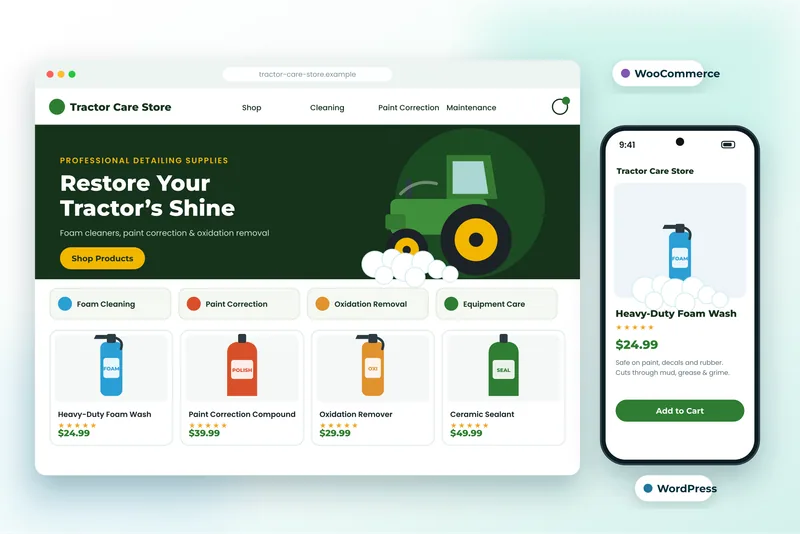
We keep stores such as a tractor and cleaning equipment store and a garden nursery store fast with disciplined plugin use, proper caching and indexes that match the queries. None of it is exotic. It is WooCommerce development done carefully rather than assembled from plugins.
Tell us your product count and where it feels slow and we will diagnose it before recommending anything expensive.