Mobile Apps
Flutter Beyond Mobile: Web and Desktop From One Codebase
Flutter now targets web, Windows, macOS and Linux as well as phones. That is genuinely useful for some products and a poor fit for others.
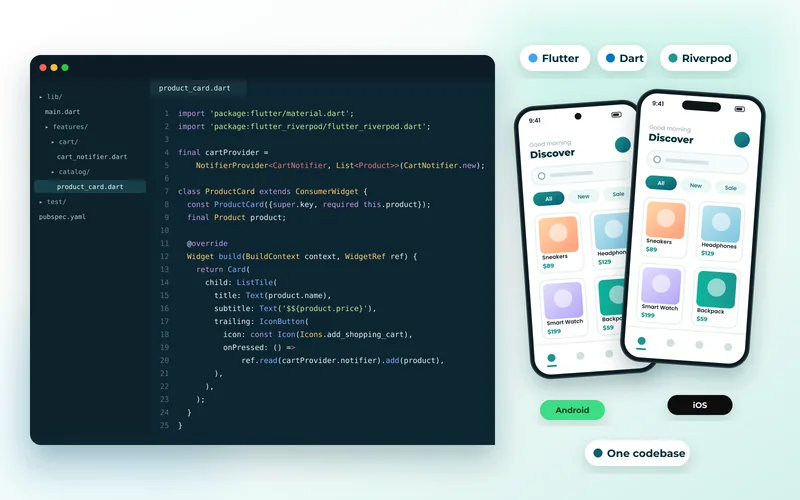
Flutter began as a mobile framework and now compiles to web, Windows, macOS and Linux from the same codebase. The promise of one team shipping everywhere is genuinely attractive. The reality needs qualifying, because Flutter's central design decision — drawing every pixel itself rather than using platform controls — plays out very differently on each target.
Mobile: Fully Mature
On iOS and Android, Flutter is a first-class choice. Performance is excellent, the widget library is comprehensive, and the development experience with hot reload is among the best available. This is settled ground, and Flutter app development is our most frequent recommendation for cross-platform mobile work.
We used it for a gym training app, where one branded experience across both platforms was exactly the requirement.
Desktop: Good for Internal Tools
Flutter desktop works well and is a reasonable choice for internal applications, kiosks and companion tools — particularly where you already have a Flutter mobile app and want to share logic.
Where it is weaker is looking native. A Flutter desktop app looks like a Flutter app, not like a Windows or macOS application. For internal tools nobody minds. For consumer software where users compare it against native applications, it can feel out of place.
Web: Read the Caveats
This is where the design decision bites hardest. Flutter web renders to canvas rather than producing HTML, which has real consequences:
- SEO. There is effectively no HTML content for crawlers to read. For anything that must rank, this is disqualifying — it is the opposite of what we argue for in the technical SEO checklist.
- Initial download is larger than an equivalent JavaScript application.
- Text selection, accessibility and browser conventions work, but not always exactly as users expect, because the browser is not rendering real text.
Flutter web is a reasonable choice for an application behind a login where SEO is irrelevant and you already have a Flutter mobile app — an internal dashboard, a companion portal. It is a poor choice for a public website, where Next.js or Nuxt are the right tools, as discussed in why Next.js became the default.
What Sharing Actually Buys You
The honest figure is that business logic, models, API clients and validation share almost completely, while the interface needs per-platform attention if you want it to feel right. A phone layout is not a desktop layout regardless of framework.
That is still a substantial saving, and it is the same argument made by Kotlin Multiplatform from the other direction — share the logic, build the UI natively. We compare the two in Kotlin Multiplatform vs Flutter.
Choosing Sensibly
Use Flutter for mobile without hesitation. Consider it for desktop when the app is internal or a companion to a Flutter mobile app. Be cautious about Flutter web, and rule it out for anything public that needs to rank.
If you want one codebase covering mobile and a public website, the more reliable pattern is a web application built for the web plus React Native sharing a language and API layer — or a progressive web app if store presence is not required.
Whatever you choose, the app is only as good as what it talks to, which makes API development the foundation, and mobile app development the wider discipline.
Tell us which platforms you actually need and we will tell you honestly how much can be shared.