eCommerce
Magento 2 Performance Tuning: Where the Time Goes
Magento is powerful and unforgiving. A misconfigured store is slow no matter how good the hosting. These are the settings that actually move the needle.
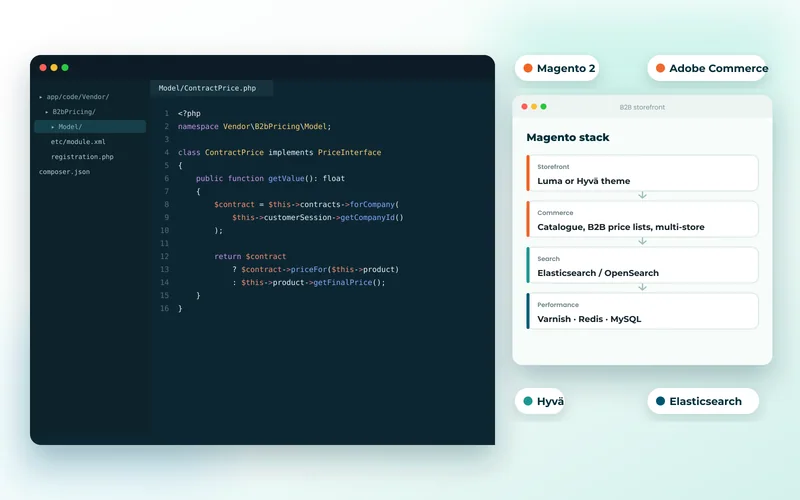
Magento gives you more control than any other mainstream commerce platform, and expects you to use it. A default installation on adequate hardware can still feel slow, because Magento's performance depends almost entirely on configuration. The good news is that the wins are well understood.
Start With the Obvious
- Production mode. Developer mode compiles on every request. Stores have gone live in the wrong mode and blamed the platform for months.
- Full page cache, with Varnish. Magento's built-in cache works; Varnish is substantially better and is what the platform is designed around.
- Indexers on schedule, not on save. Reindexing on every product save makes bulk updates crawl and can lock the catalogue.
- Elasticsearch properly configured. Search and layered navigation depend on it, and a misconfigured instance degrades both badly.
These four resolve a large share of the Magento stores we are asked to look at. None of them is exotic; they are simply easy to get wrong during a rushed launch.
Third-Party Extensions
Magento's extension ecosystem is a genuine strength and the most common source of trouble. Poorly written extensions add database queries to every page load, disable caching for their own convenience, or conflict with each other in ways that only appear under load.
Audit what is installed. For each extension, ask whether it earns its place. Disabling one at a time on a staging copy while measuring is tedious and frequently identifies a single culprit responsible for most of the problem.
The Database
Large catalogues with many attributes generate heavy queries through Magento's EAV structure. Keep indexers healthy, clean old log tables — quote and report tables grow enormously and are rarely pruned — and examine your slowest queries directly rather than guessing.
The method is the same as any other platform, and we describe it in why sites slow down as they grow. It is also the substance of database development and optimisation.
Hosting Is Not Optional
Magento needs real resources: adequate PHP memory, Redis for sessions and cache, a properly sized database server, and Varnish in front. Shared hosting cannot do this. Getting the infrastructure right is cloud and DevOps work, and attempting to economise here is the most reliable way to have a slow store.
The Front End
Magento's default theme ships a lot of JavaScript, and the layered navigation and product listing pages are usually the heaviest. Bundling and minification help; removing unused modules helps more. For stores where the storefront experience is a differentiator, decoupling it entirely is worth evaluating — the trade-offs are in headless commerce.
The general front-end measures apply too, as covered in improving Core Web Vitals and delivered through speed optimisation.
Is Magento Still the Right Platform?
Be honest about total cost. Magento's capability is unmatched for complex catalogues, B2B rules and multi-store setups — we rely on it for an industrial parts B2B store. But it demands ongoing developer and infrastructure investment that smaller merchants underestimate.
If your requirements have simplified, moving to Shopify or BigCommerce may cut your running costs substantially — we walk through that in the migration guide and BigCommerce for B2B. If they have not, tuning what you have is far cheaper than replatforming.
Tell us your Magento version and where it hurts and we will start with measurement rather than a rebuild proposal. See also our Magento development work.