Mobile Apps
React Native's New Architecture: What Actually Changed
The bridge is gone, replaced by direct communication between JavaScript and native code. Here is what that means for apps you are building or maintaining.
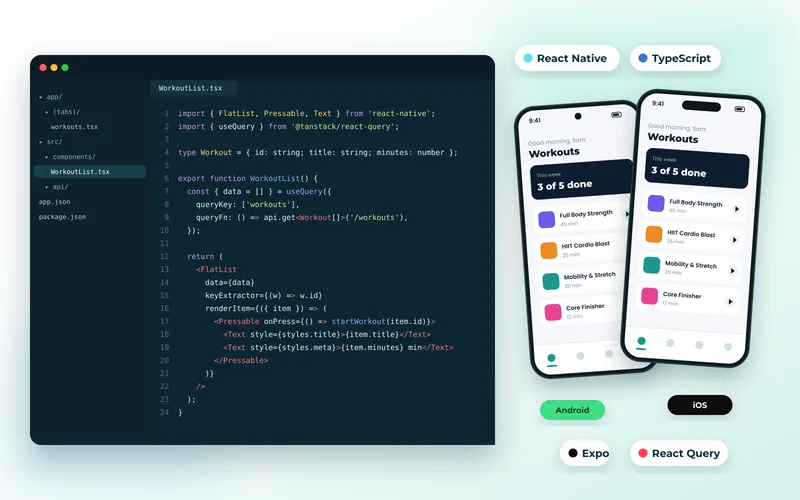
React Native's original design had a known bottleneck. JavaScript and native code communicated across an asynchronous "bridge", serialising messages between them. It worked, and it was the source of most complaints about janky animations and slow list scrolling. The new architecture removes it.
What Replaced the Bridge
Three pieces matter:
- JSI lets JavaScript hold direct references to native objects and call them synchronously, without serialisation.
- Fabric is the rewritten rendering system, which can perform layout synchronously and keeps the view tree consistent between the two worlds.
- TurboModules load native modules lazily rather than all at startup, which improves launch time in apps with many dependencies.
The practical result is smoother animation and gesture handling, faster startup, and fewer of the frame drops that made React Native feel second-best against native.
What It Means for Your App
If you are starting something new, use the new architecture. It is the default in current versions and the ecosystem has caught up.
If you maintain an existing app, migration is mostly a dependency exercise: libraries must support the new architecture, and older unmaintained ones may not. That is a useful forcing function — a dependency nobody has updated in three years is a risk regardless.
This is routine work under React Native app development, and it is exactly the sort of modernisation that ongoing maintenance exists to handle before it becomes urgent.
Does It Change the Framework Decision?
It narrows the performance gap that used to favour Flutter. For most business applications both are now comfortably fast enough, which pushes the decision back to team skills and ecosystem.
React Native's distinguishing advantage remains that it shares a language and mental model with your website. A team writing React can work on the app, and TypeScript types can be shared with the backend. For organisations with one small development team, that is frequently decisive.
We set the options side by side in Flutter vs React Native vs native and Kotlin Multiplatform vs Flutter.
Where Native Is Still Better
Heavy graphics, sustained camera or video processing, deep OS integration and background work remain better served natively. If the app is fundamentally about one of those, build it with Android and iOS development rather than fighting a cross-platform layer.
We built a warehouse scanning app natively for exactly that reason — it was built around specific scanning hardware, and the abstraction would have cost more than it saved.
Do Not Skip the Backend
Framework choice gets the attention; the backend decides whether the app feels fast. Chatty APIs, unbounded responses and missing indexes produce a sluggish app no matter how well the UI renders — see why sites slow down as they grow.
Design the API around the screens the app actually has, and budget for it properly, as we set out in how much a mobile app costs.
Tell us what your app needs to do and we will recommend the framework and, just as importantly, the backend behind it.